 Shruti Kaushik
A property adviser and a software founder should not receive the same advice with a few nouns changed. Start by giving Klype the information that makes your business different. Your workspace holds that context so you do not have to explain it from scratch every time.
A reusable business description and audience definition that make the next draft easier to brief.
- One plain-language service description
- One reader with a decision to make
- A short list of facts the draft may use
Why this gets difficult
A blank prompt encourages you to solve the same problem repeatedly. On Monday you explain your service. On Wednesday you add the audience you forgot. On Friday you notice the wording describes a much larger company. The missing ingredient is not another clever instruction; it is a stable account of the business.
Your workspace should contain information that remains useful across several pieces of work. A temporary announcement belongs in a post brief. Your service scope, audience and positioning belong in the saved context. Keeping these separate makes an update easier: a new offer does not require rewriting your entire identity, and one seasonal post does not redefine the company.
From a category label to a usable business description
We provide innovative property solutions for everyone looking for their dream home.
Cedar Homes is an illustrative property-advisory business. It helps first-time apartment buyers compare what is included in a quoted price and prepare questions before a viewing. Its content should explain practical trade-offs in plain English, without promising investment returns.
The second version identifies a reader, a moment and a useful service. It gives the writer material to work with without inventing a reputation. Notice what it does not contain: awards, sales volumes or claims about being the best. Those would require separate evidence.
Follow the workflow, screen by screen
Use these screens as a map, then apply the example to your own workspace. Each step explains what to look for, not just which page to open.
Real product captures from 9 September 2026, using the fictional Maya / Cedar Homes test workspace. These show the interface, not the article’s example being generated. The admin balance is not a plan allowance. Select a screenshot to inspect the full image, including the sidebar.
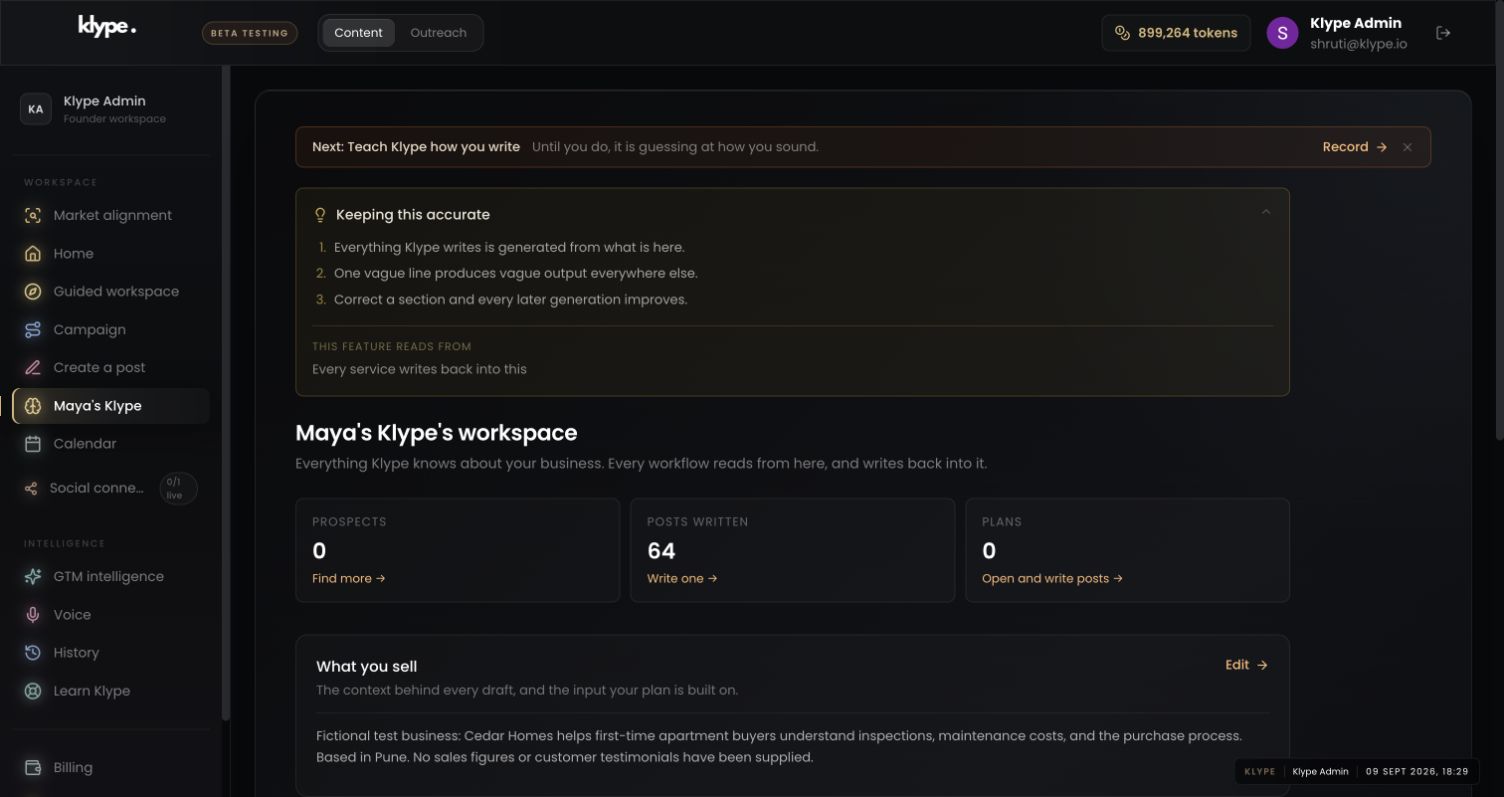
01Check the business context
Read the selected workspace name and What you sell. Correct the permanent description here, rather than inside every post.
02Give the draft one clear job
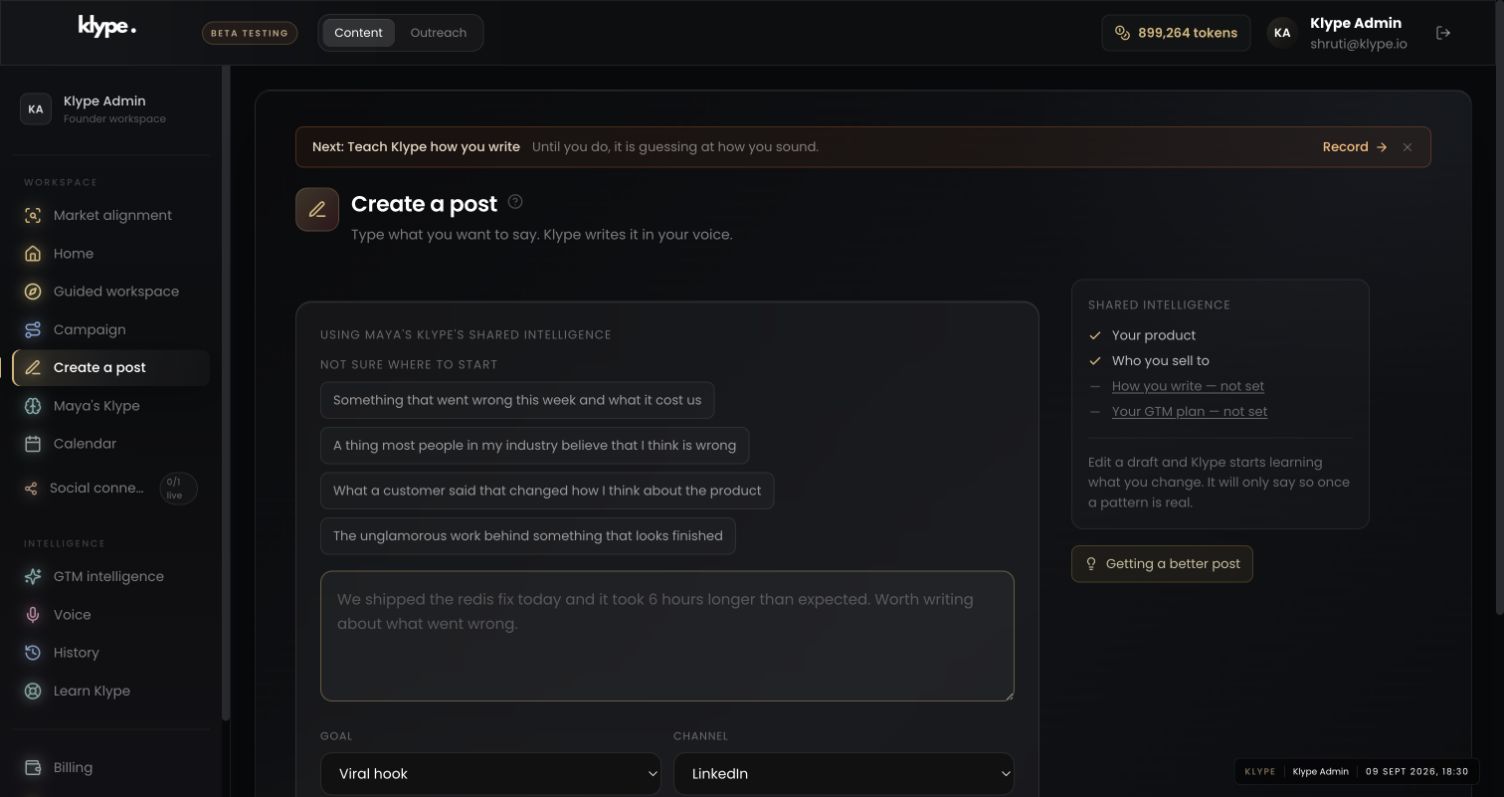
Look at Shared intelligence before writing. In this capture, business and audience are present; voice and GTM are not set.
03Choose a manageable next step
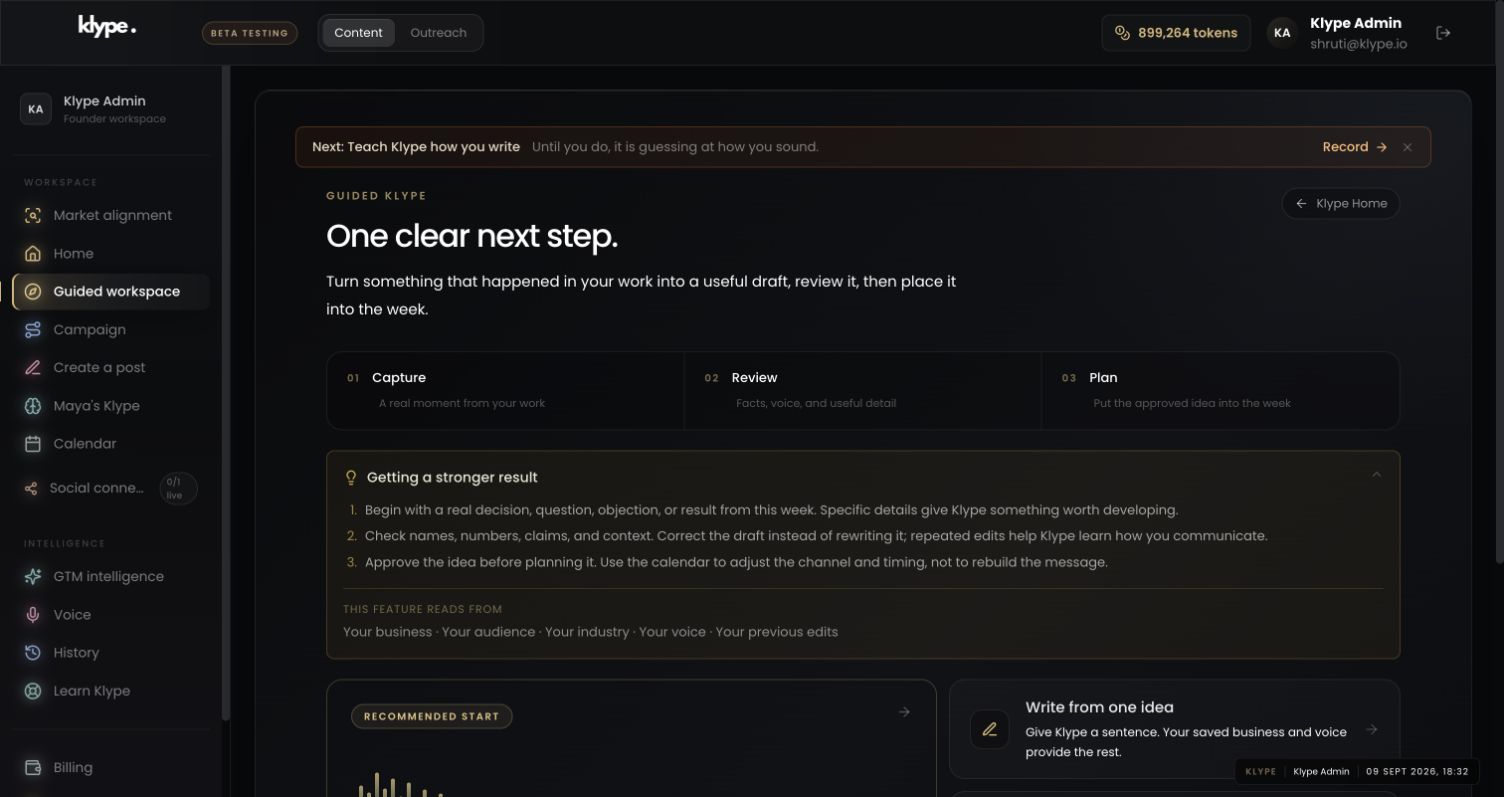
Return through Guided workspace when you want a smaller set of next steps. It is another entry into the platform, not a second business profile.
Reader: a first-time apartment buyer comparing two properties. Explain why the quoted price is only one part of the comparison. Use the saved service context. Include questions to ask, not invented prices or a story about a past client.
Replace these example details with your own facts. This is a starting point, not a promise of a particular output.
Start with what you actually do
Open Your workspace in the sidebar. If a workspace is already selected, the link may show its name instead. Review What you sell, Who you sell to and Positioning. Use Edit to correct the business description. Write for someone who has never heard of your company.
Make the audience specific
‘People interested in property’ is too broad to guide a useful post. ‘First-time apartment buyers in Pune who need help understanding the full cost of ownership’ gives Klype a clearer reader. This is an illustrative example, not a customer result. Name the person's situation, the decision they face and the question you can help answer.
Keep facts separate from ambition
State services, locations and capabilities you can support. Do not add revenue figures, testimonials or results just to make the profile sound impressive. Describe a goal as a goal. If you offer several unrelated services, check that the selected workspace is the one you intend to write for.
Check the context before your first draft
Open Create a post and inspect Shared intelligence. In the example, business and audience are available while voice and the GTM plan are not yet set. That distinction matters: saved business context is not the same as a measured writing voice. Add those inputs when they are useful, rather than repeatedly rewriting your prompt.
Try it with your own work
Read the saved description without saying your company name. Could it describe almost any business in your industry? If yes, add the specific decision you help with. Then remove one broad adjective and replace it with a concrete service boundary.
Next, test it with two different topics. One can explain what happens before a first consultation; the other can explain a common comparison mistake. If both require you to reintroduce the business, improve the saved context. If only one needs extra detail, keep that detail in its brief.
When the result needs work
Check current feature availability and checkout terms in the app.