 Shruti Kaushik
A go-to-market plan is simply a working answer to three questions: who should hear about your business, what should they understand and where will you reach them? Its value comes from helping you make the next decision, not from how long the document is.
One small research-and-content cycle you can review, rather than another strategy document to archive.
- One buyer question worth investigating
- A useful finding with a source
- A next action and review date
Why this gets difficult
A plan becomes a long read when every recommendation has equal priority. Ten possible channels do not mean ten channels to operate this week. The useful role of a GTM plan is to narrow the next decision: which audience, which question and which route are worth your limited attention now?
Separate research from publishing and publishing from selling. A report can produce a useful finding without producing an enquiry. A post can attract relevant questions without creating a buyer. Recording those stages helps you improve the weak step instead of replacing the whole plan whenever the final result is disappointing.
Turn “build thought leadership” into a one-week experiment
Publish regularly, engage your audience and leverage multiple channels to generate leads.
Study one question: what makes a first-time buyer unsure about ongoing apartment costs? Summarise the questions you can support from public information or permitted conversations. Publish a short checklist. Review whether readers ask a more specific follow-up question before expanding the topic.
This example contains a question, a useful asset and an observable response. It does not call a like a lead or assume that a research report will convert. You can repeat the method for a software onboarding problem, a service-scope question or a local appointment process.
Follow the workflow, screen by screen
Use these screens as a map, then apply the example to your own workspace. Each step explains what to look for, not just which page to open.
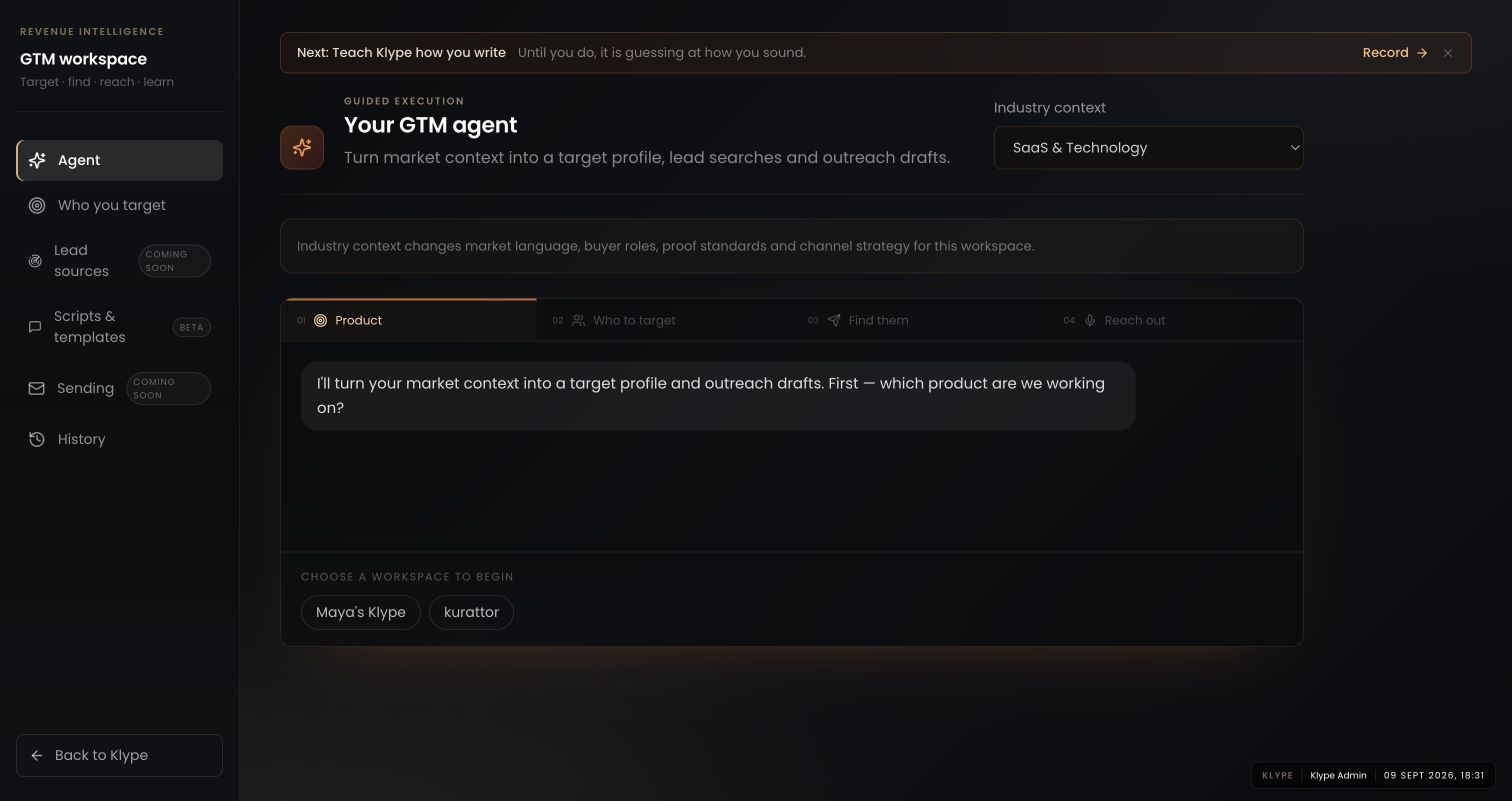
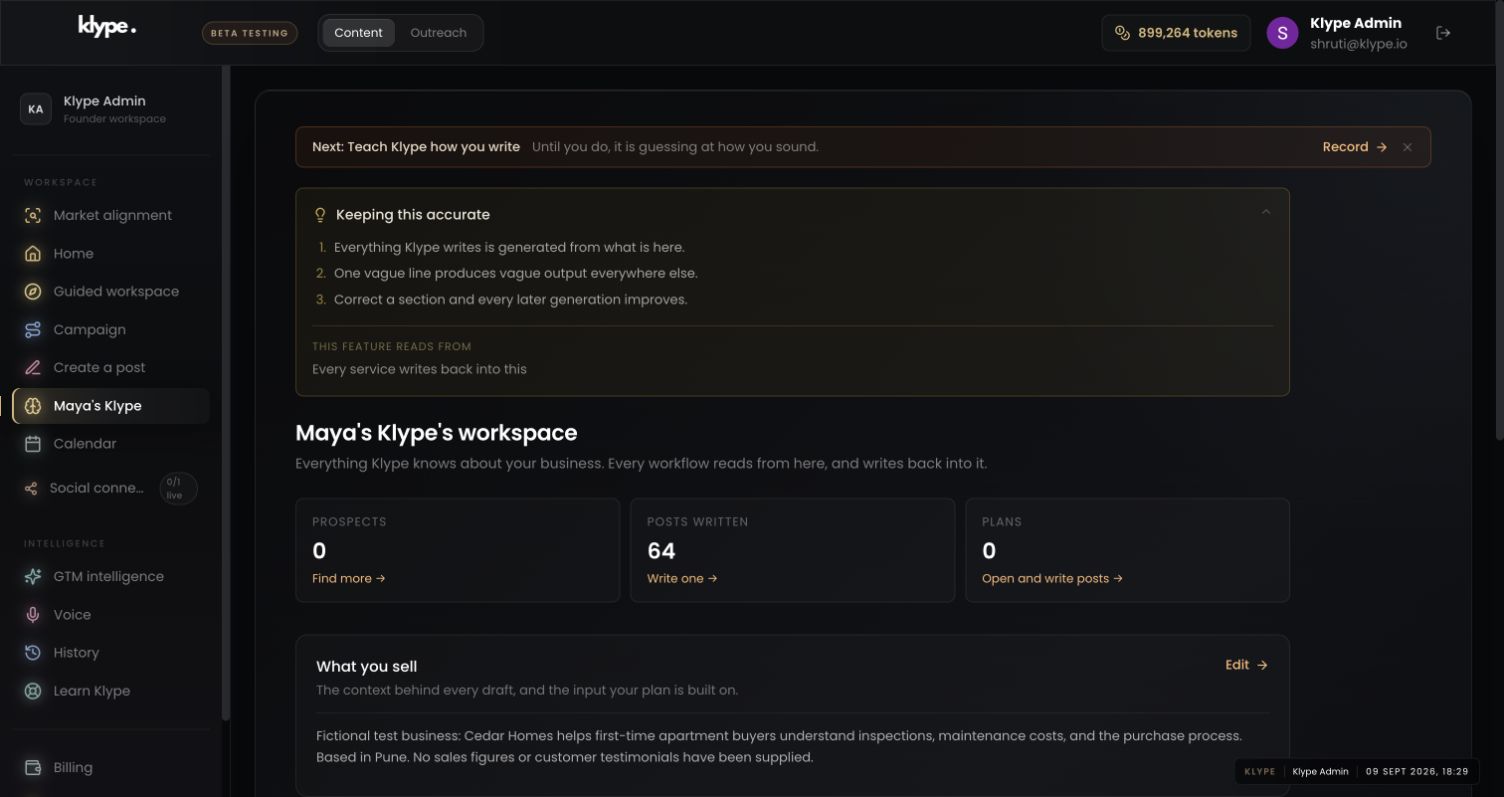
Real product captures from 9 September 2026, using the fictional Maya / Cedar Homes test workspace. These show the interface, not the article’s example being generated. The admin balance is not a plan allowance. Select a screenshot to inspect the full image, including the sidebar.
01Connect the idea to a plan
Choose the product in GTM before following the targeting steps. Availability badges matter: this capture does not demonstrate a working lead feed or automatic sending.
02Check the business context
Check the saved service and audience so the experiment addresses your business, not an attractive but unrelated market.
03Give the draft one clear job
Turn the finding into a focused explanation. A research-led post should say what was examined and what remains uncertain.
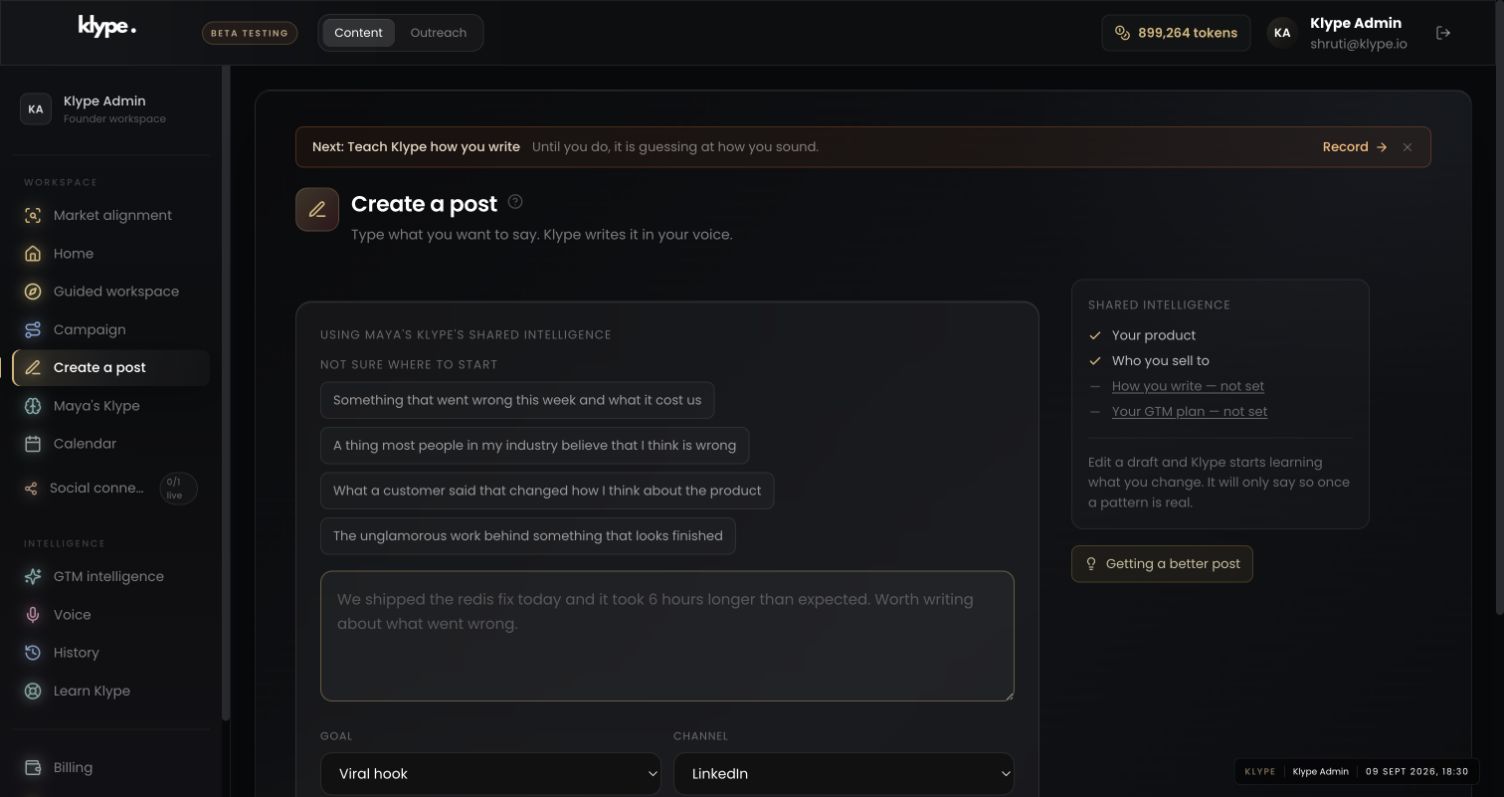
Use the current audience and service context. Plan one week around a buyer question, one useful research summary and up to two distribution routes. Separate evidence from assumptions. Include what we should observe before continuing. Do not invent leads, contact details or completed outreach.
Replace these example details with your own facts. This is a starting point, not a promise of a particular output.
Begin with the right business and industry
Open GTM intelligence. Choose the workspace you want to work on and check Industry context. The live interface offers a sequence from Product to Who to target, Find them and Reach out. Start with a clear business description instead of asking for a plan for ‘everyone’.
Turn a broad audience into a practical starting group
Use Who you target to make the buyer profile specific. Identify a situation you understand and a problem you can discuss credibly. A local professional might begin with one type of client and one recurring question, rather than trying to address an entire industry at once.
Use one part of the plan this week
Choose one audience question and turn it into a post. Choose one suggested channel and decide what you will actually do there. Set a review date and record the response you observe yourself: questions, relevant conversations or enquiries. Do not treat a suggested target as a forecast or claim results that have not happened.
Read availability labels literally
At the time of this walkthrough, Lead sources and Sending are labelled Coming soon, and Scripts & templates is labelled Beta. Do not rely on those screens as a live lead feed or an automatic sending service. Use available planning and drafting steps, review their output, and carry out unsupported steps separately. History helps you return to earlier work rather than beginning again.
Try it with your own work
Use a simple weekly sequence. On the first work session, choose the question and collect a small set of relevant sources. On the next, write the finding with its limitations. Then adapt it into a post and a short explanation you can share in a relevant conversation. Leave time to respond; publishing is not the last step.
At the review, record what you actually did, what people asked and what you will change. The current research cycle panel in GTM can hold working notes; it is not proof that research or outreach happened automatically. If the sample is too small, repeat the same question before changing the audience. A quiet week is information about the experiment, not a reason to invent a result.
When the result needs work
Check current feature availability and checkout terms in the app.