 Shruti Kaushik
You do not need a long prompt to start. A useful observation from your work is often enough: a question a buyer keeps asking, a decision you changed or something your audience tends to misunderstand. Klype combines your brief with the context available in the selected workspace.
A clear brief and a reviewable post that helps one reader make one decision.
- A real question from your work
- The factual answer in a few notes
- One specific reader action
Why this gets difficult
Industry-specific writing is more than inserting an industry name. A property buyer needs a different explanation from a software buyer, even when both are comparing costs. The relevant questions, evidence and vocabulary change. A convincing draft should reflect those differences in its reasoning, not only in its nouns.
Start with what the reader is trying to do. That keeps the post from turning into a tour of your business. You can introduce your service when it helps explain the answer, but the reader should receive something useful even if they never click a link. That is a stronger foundation than an impressive opening followed by general advice.
Replace a generic topic with a decision-led opening
Buying a home is an exciting journey. Make informed decisions and choose the right property for your needs.
Two apartments can have similar asking prices and different ongoing costs. Before comparing them, request the same written breakdown from both sellers: what is included, what is recurring and what may change later.
The revised example creates a comparison the reader can perform. It does not need an invented price difference to become concrete. The same principle works in other industries: show the decision and the information needed to make it, then stop before the draft starts making promises the evidence cannot support.
Follow the workflow, screen by screen
Use these screens as a map, then apply the example to your own workspace. Each step explains what to look for, not just which page to open.
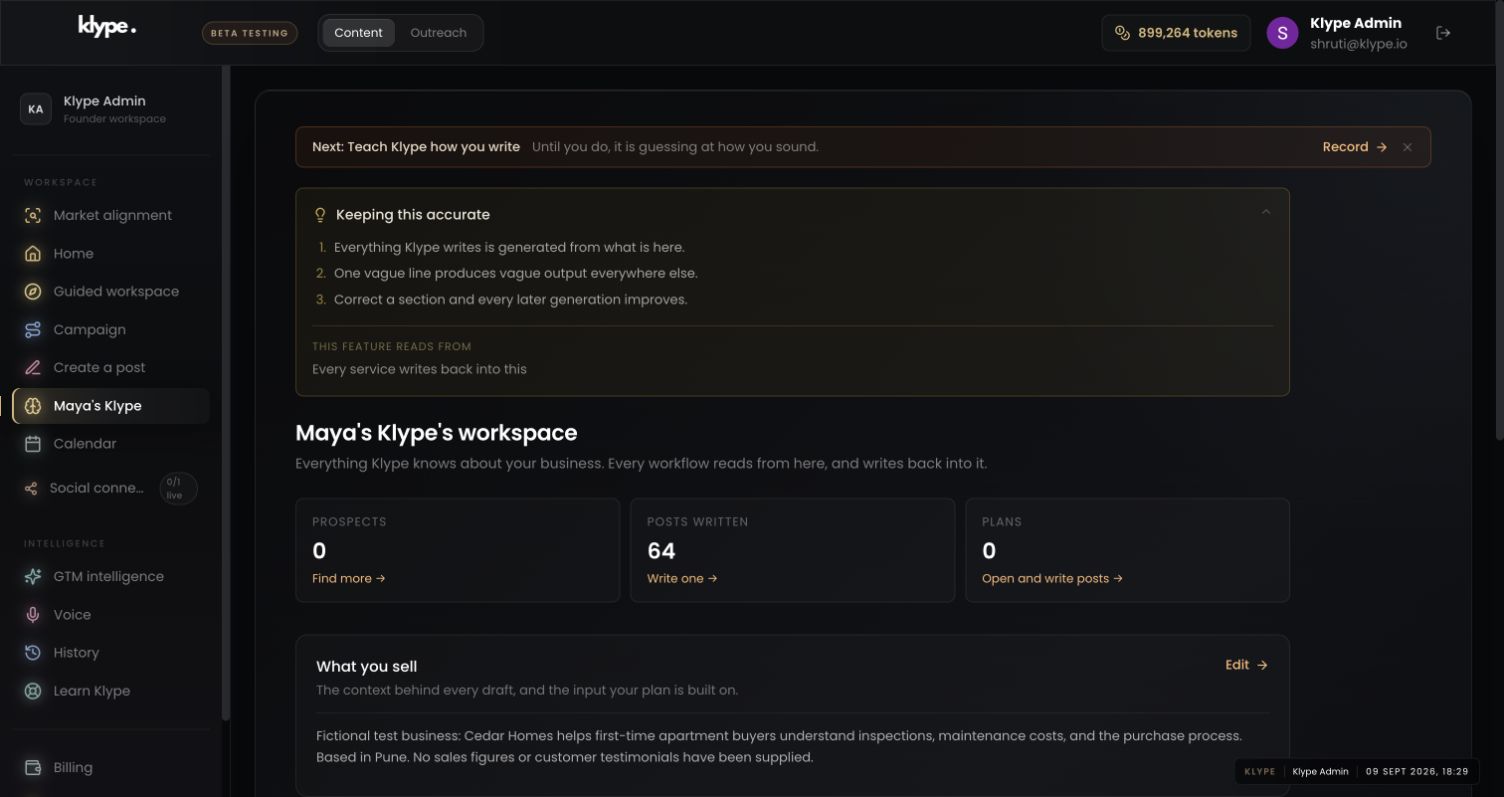
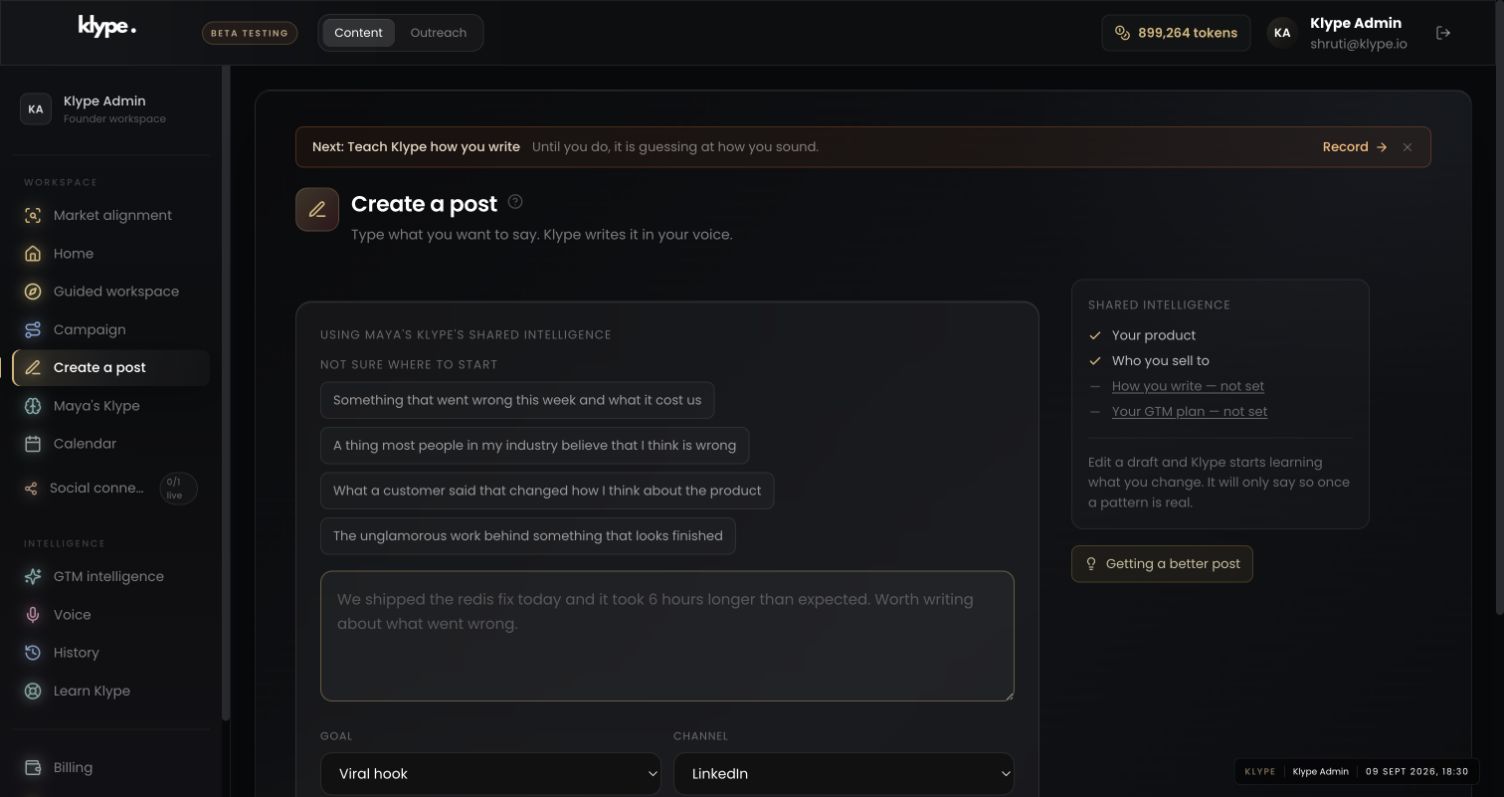
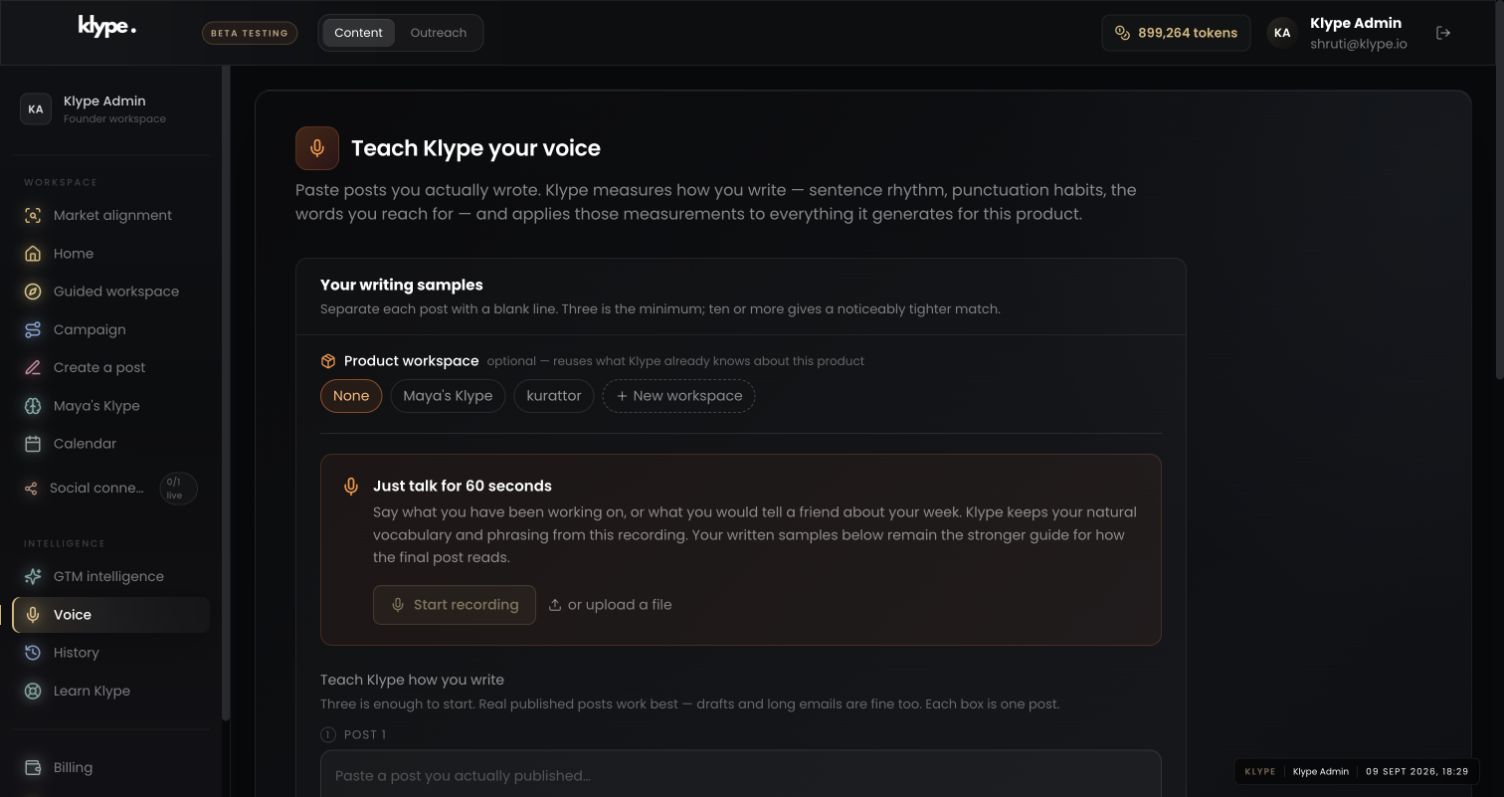
Real product captures from 9 September 2026, using the fictional Maya / Cedar Homes test workspace. These show the interface, not the article’s example being generated. The admin balance is not a plan allowance. Select a screenshot to inspect the full image, including the sidebar.
01Check the business context
Start from a saved business and audience that fit the topic. The screenshot uses a fictional property-advisory workspace.
02Give the draft one clear job
Enter the question in Create a post and review Goal and Channel. These controls shape the presentation; they do not replace the facts you supply.
03Set a writing reference
Use Voice if the content is accurate but the style requires repeated edits. You do not need to change your business description to fix sentence rhythm.
Write for first-time apartment buyers. Explain how to compare the scope of two quoted prices. Include asking what is included, what repeats and what can change. Use a checklist. Do not invent costs, legal requirements or client results.
Replace these example details with your own facts. This is a starting point, not a promise of a particular output.
Start with a real point
Open Create a post. Write the idea in ordinary language, or use one of the suggested starting points. For a property adviser, an example brief is: ‘Explain why apartment buyers should ask for a written breakdown of maintenance and parking costs before comparing prices.’ This gives the post a job without inventing a success story.
Choose the settings that change the reader's experience
Review Goal, Channel, Industry and Tone. Do not assume that selecting a workspace has selected the right industry in every form. A lesson for LinkedIn and a short message for X may need different structures. Choose the goal that fits the idea, rather than using Viral hook for every post.
See which intelligence is available
The Shared intelligence panel distinguishes saved context from missing inputs. If the voice or GTM plan is marked not set, the draft cannot draw on a profile you have not supplied. Business and audience context can still help you begin. There is no need to fill every feature before writing your first useful post.
Make the final review small and deliberate
Generate the draft, then check the opening, specific details and ending. Remove unsupported claims and replace vague conclusions with a useful takeaway. Check names, dates and numbers before publishing. Healthcare and financial content need particular care: do not include identifying client or patient details, and have an appropriately qualified person review consequential claims. A generated draft is not professional advice.
Try it with your own work
Review the draft in three passes. First, underline the sentence that states the useful point. Second, circle factual claims you need to verify. Third, read only the ending. If the final line could be attached to almost any post, replace it with a specific next question or action.
Do not regenerate automatically when one paragraph is weak. A local edit may preserve a good explanation while removing a vague opening or ending. Save regeneration for a wrong angle or structure. The test is whether the new version solves the problem, not whether it sounds different.
When the result needs work
Paste a LinkedIn draft and the free checker scores it in your browser. Your text stays in your browser.
Check current feature availability and checkout terms in the app.