 Shruti Kaushik
Vary the format because the reader needs a different kind of help. A checklist supports an action, a short observation makes one point and a longer explanation develops a trade-off. Changing paragraph breaks or asking for a longer version does not automatically create a different post.
Three distinct reader tasks from one idea, rather than several cosmetic rewrites.
- One factual point
- A checklist, comparison and observation
- A sequence review to remove duplication
Why this gets difficult
Repeating an idea is not always a problem. Repeating it without adding a new reason to read is. A checklist and an explanation can start from the same insight while doing different work for the audience. Random changes in length or paragraph breaks cannot create that difference.
Decide what each version helps someone do. One can help the reader inspect a process. Another can explain a trade-off. A third can make a small observation memorable. Once the tasks are distinct, the structure and length have a reason to change.
One onboarding idea, three useful angles
Great onboarding matters. Here is why onboarding matters. Three reasons onboarding is important.
Checklist: inspect the first screen, first email and help route for a clear next action. Comparison: weigh a complete feature tour against one guided starting task. Observation: an account can be created before the person receives any useful result.
These are editorial angle examples, not three automatically generated outputs. They differ in the reader’s task. The checklist supports inspection; the comparison explains a choice; the observation names a gap. None needs invented activation data to make the point.
Follow the workflow, screen by screen
Use these screens as a map, then apply the example to your own workspace. Each step explains what to look for, not just which page to open.
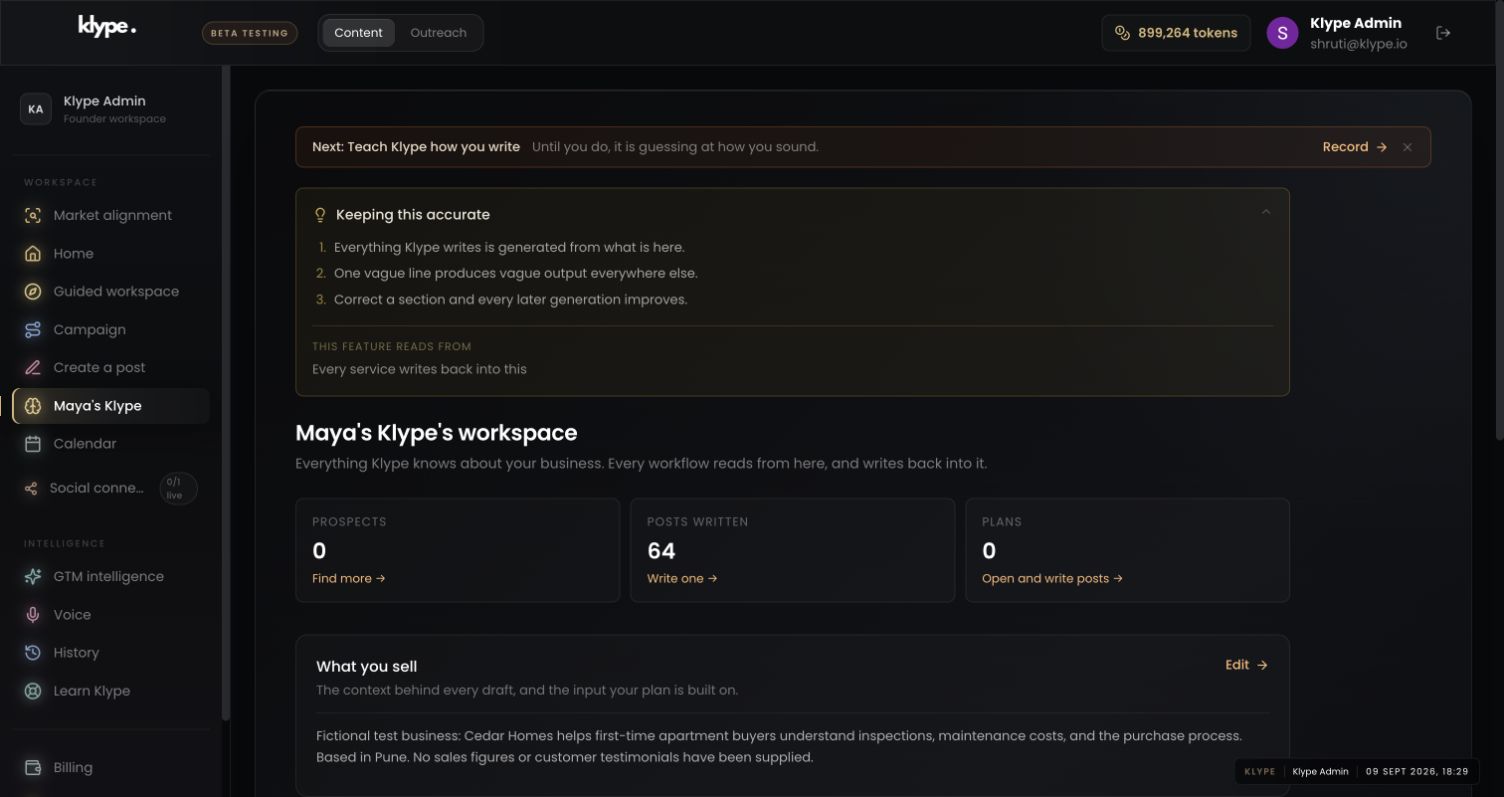
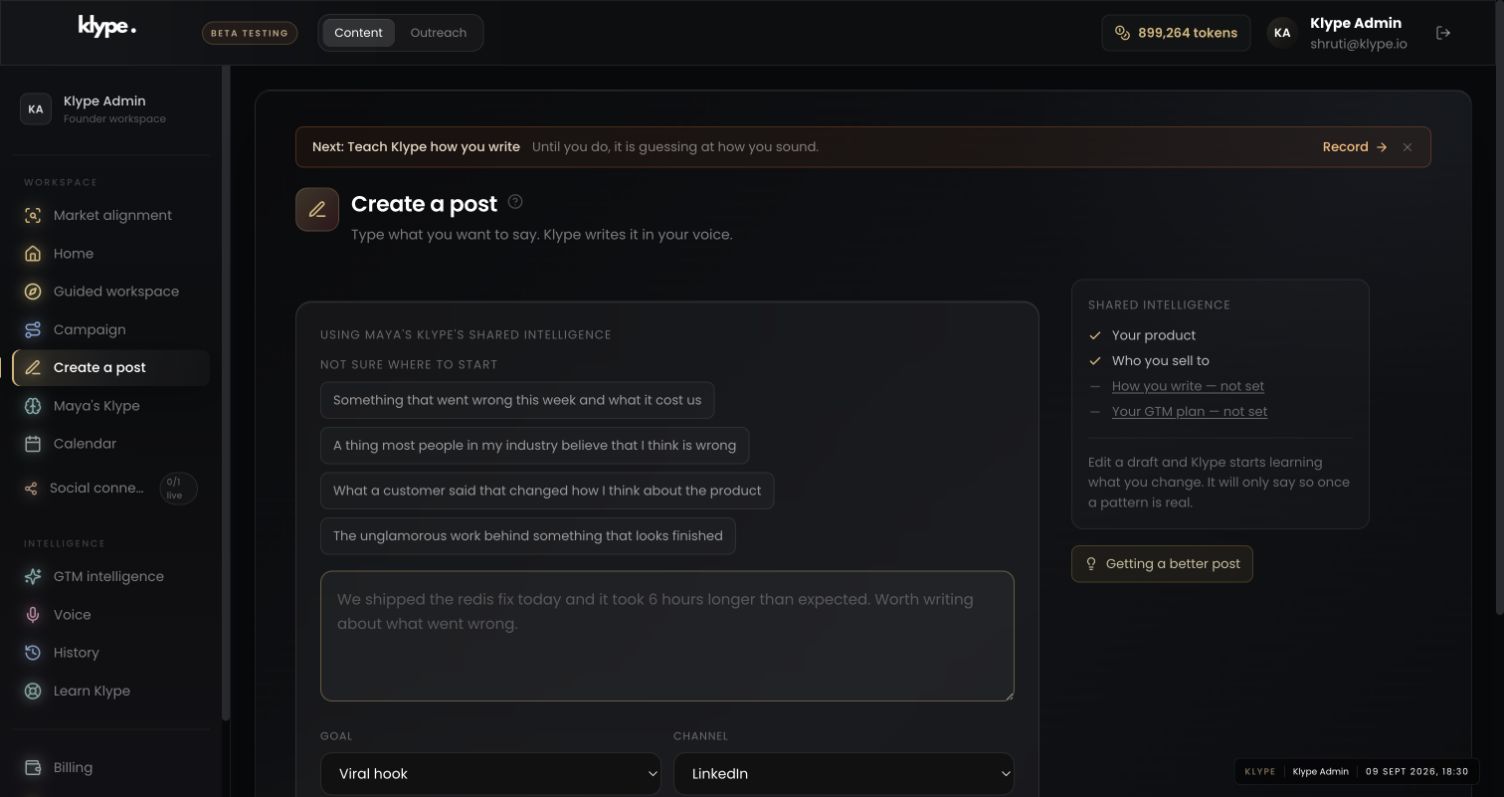
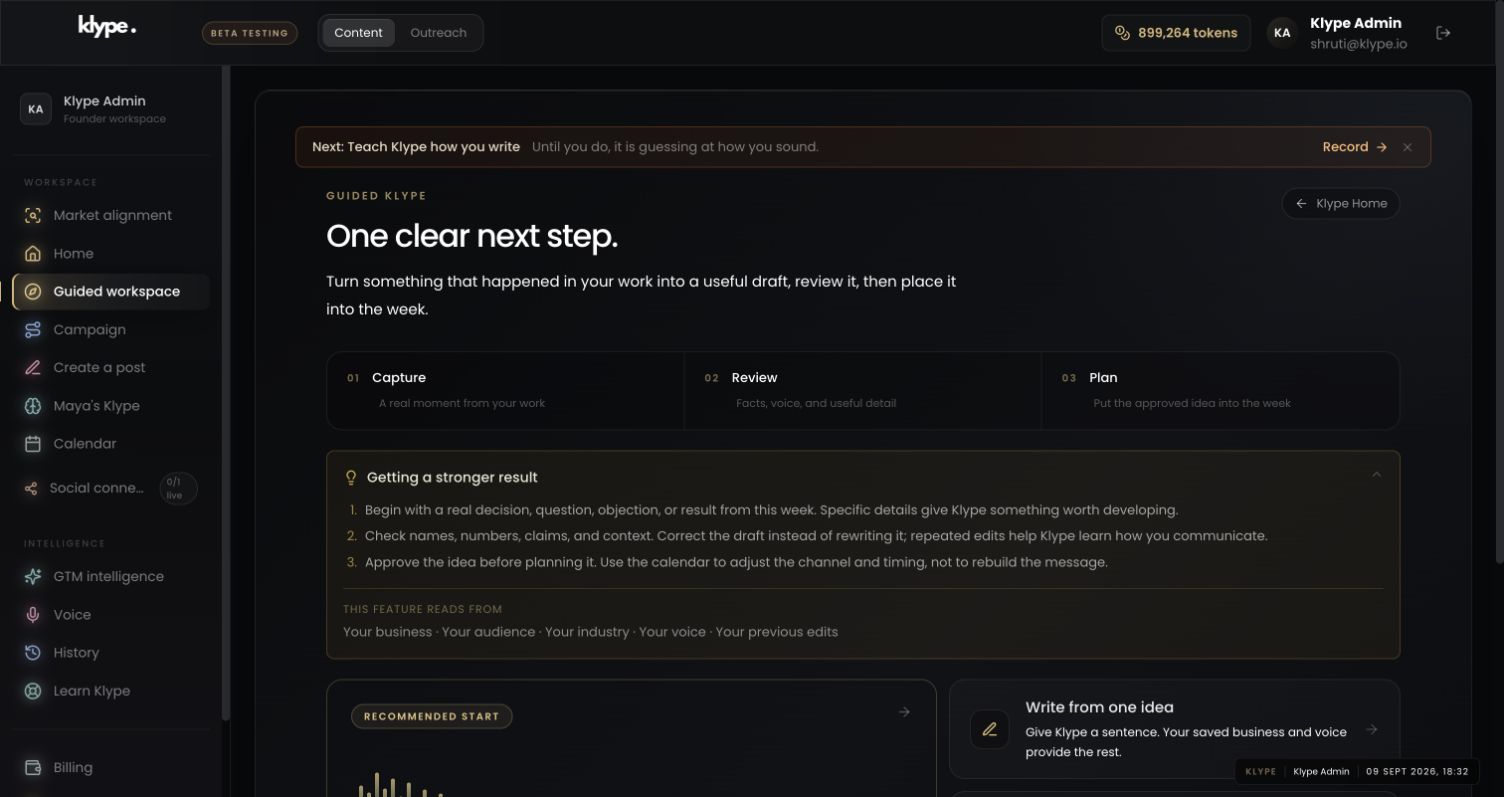
Real product captures from 9 September 2026, using the fictional Maya / Cedar Homes test workspace. These show the interface, not the article’s example being generated. The admin balance is not a plan allowance. Select a screenshot to inspect the full image, including the sidebar.
01Check the business context
Keep the audience constant while testing different angles. Otherwise you cannot tell whether the format or the reader changed.
02Give the draft one clear job
Specify the task and format in the brief. Generate and review one usable piece instead of treating a batch count as evidence of variety.
03Choose a manageable next step
Use the planning route to inspect the sequence. A calendar should help you space distinct ideas, not hide repeated ones.
Write a checklist for a small SaaS team reviewing the first user experience. Inspect the first screen, first email and help route for one clear next action. Keep it practical. Do not claim that a specific percentage of users will activate.
Replace these example details with your own facts. This is a starting point, not a promise of a particular output.
Start with a single useful idea
Consider this idea: a clear next step reduces confusion after a customer signs up. Before generating anything, separate known facts from your interpretation. If you have no measured result, do not ask the draft to claim that support tickets fell. You can still explain why a visible next action matters.
Match three formats to three jobs
A checklist could ask the reader to inspect the welcome screen, first email and support route. An explanatory post could compare showing every feature with showing one next action. A short observation could focus on the gap between account creation and the first useful result. Each version should earn its existence by helping with a different task.
State the constraint in the brief
In Klype, specify the reader, format and point when they matter. For example: ‘Write a checklist for a small SaaS team reviewing onboarding. Focus on the next action. Do not add customer numbers or pretend this is a case study.’ Let the length follow the explanation. The goal is not a fixed number of paragraphs, nor random formatting for its own sake.
Review the sequence before publishing
Read the planned posts together. Remove repeated openings, examples and conclusions. Check that a reader who sees all of them learns something new each time. If two drafts make the same point, combine them or choose the stronger one. Save the unused idea for when you have new evidence rather than publishing an artificial variation.
Try it with your own work
Write a one-line job beside each planned draft. If every job is “tell people onboarding matters”, the sequence needs new angles. Change the reader’s question before asking for a new style. For example, move from why a next step matters to how to inspect one.
Read only the openings of the drafts, then only the endings. Repeated structures become easier to see this way. Keep a repeated phrase when it is a deliberate series device, but remove accidental boilerplate. If two pieces still add the same information, publish the stronger one and keep the other until you have a new example.
When the result needs work
Paste a LinkedIn draft and the free checker scores it in your browser. Your text stays in your browser.
Check current feature availability and checkout terms in the app.
Common questions
Should post length be random?
No. Length should fit the idea, evidence, channel and reader task. Variety is useful when it serves those needs.
Is a longer post always better?
No. Add detail only when it helps the reader understand or act. Remove filler rather than rewarding word count.