 Shruti Kaushik
Explain who you help, the decision or problem you address and how you approach the work. A freelancer's content becomes more useful when it helps a potential client understand fit, rather than repeating ‘high quality’ or ‘results driven’. Use genuine work and label examples that are illustrative.
Content that helps a prospective client understand scope, fit and the next step before enquiring.
- One situation that makes a client need you
- A visible process or preparation list
- An enquiry action with a clear purpose
Why this gets difficult
A buyer cannot easily compare claims such as creative, reliable or results-driven. Those qualities matter, but they become more understandable when you show what the engagement involves. Content can answer the questions a prospective client would otherwise need a call to resolve.
Make the service boundary visible. Explain what you do, what the client needs to provide and what is outside the scope. This is not about making the offer smaller. It is about helping the right client recognise it and avoiding a conversation based on different expectations.
Show the work behind “high quality”
I create high-converting websites that elevate your brand and take your business to the next level.
Before designing a service page, I need three things: the main customer question, the action the page should support and the material the business can use as proof. The layout follows those choices. If the offer is still unclear, design alone will not resolve it.
This editorial example explains a decision process without promising a conversion result. It helps a buyer understand how to prepare and when the service fits. Adapt it to your actual scope; do not imply that you provide strategy, copy or development if the engagement does not include them.
Follow the workflow, screen by screen
Use these screens as a map, then apply the example to your own workspace. Each step explains what to look for, not just which page to open.
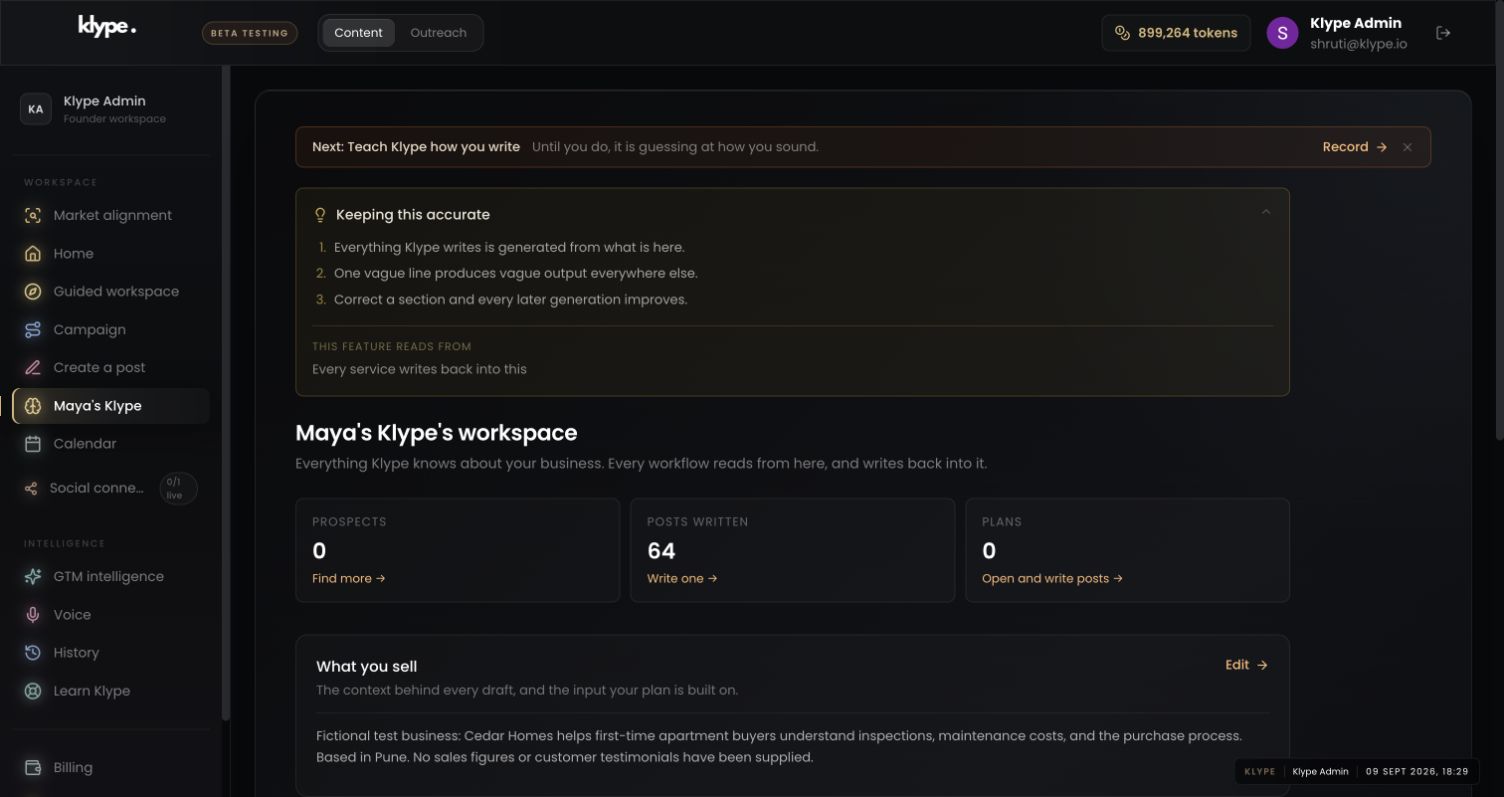
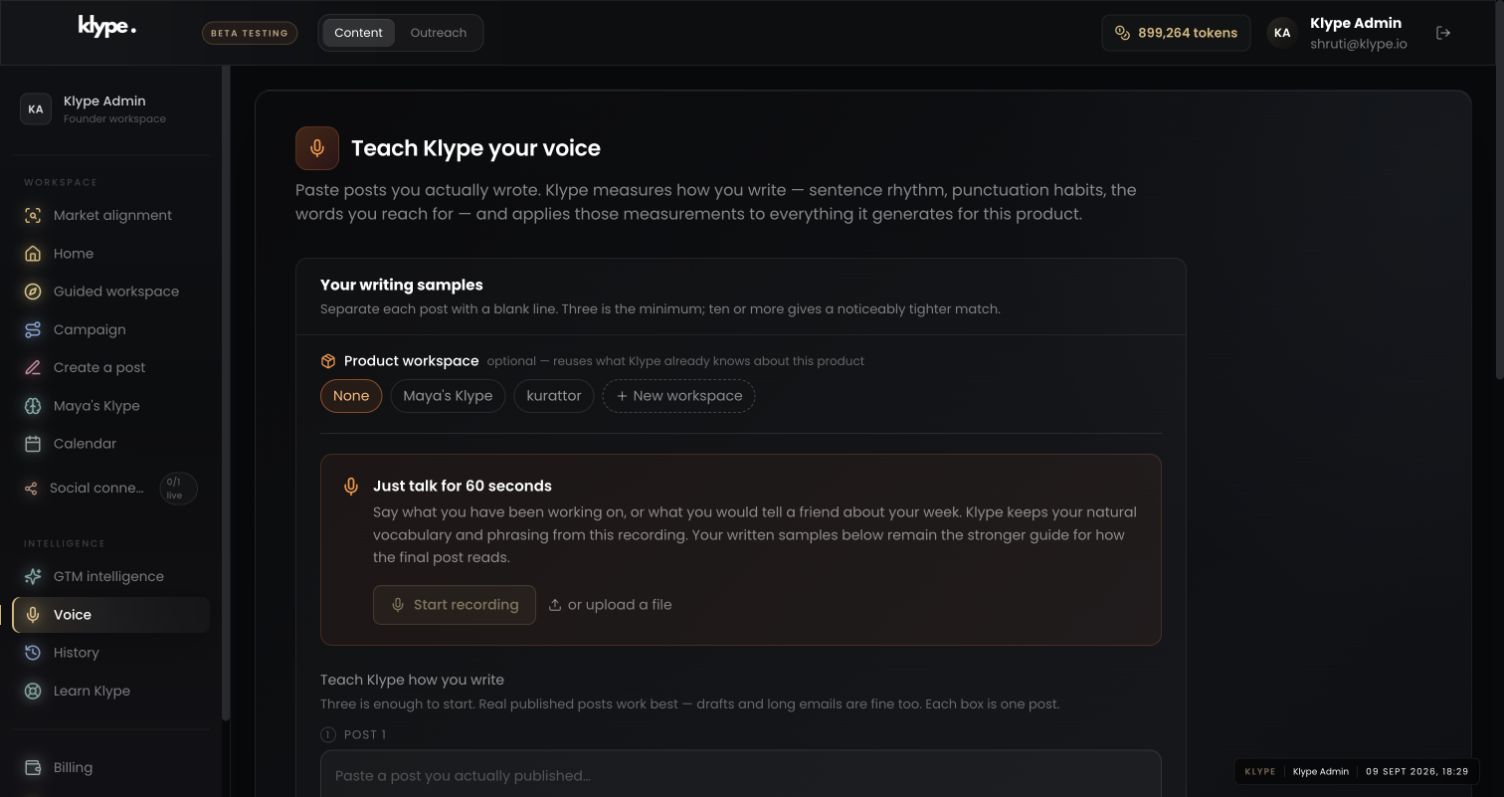
Real product captures from 9 September 2026, using the fictional Maya / Cedar Homes test workspace. These show the interface, not the article’s example being generated. The admin balance is not a plan allowance. Select a screenshot to inspect the full image, including the sidebar.
01Check the business context
Save the service boundary and intended client. A narrow, accurate description helps prevent the draft from selling services you do not offer.
02Set a writing reference
Use your own explanatory writing as a style reference. Do not use a competitor’s sales page as your personal voice.
03Give the draft one clear job
Turn one buying question into a post. Inspect the promised deliverable and next action before sharing it.
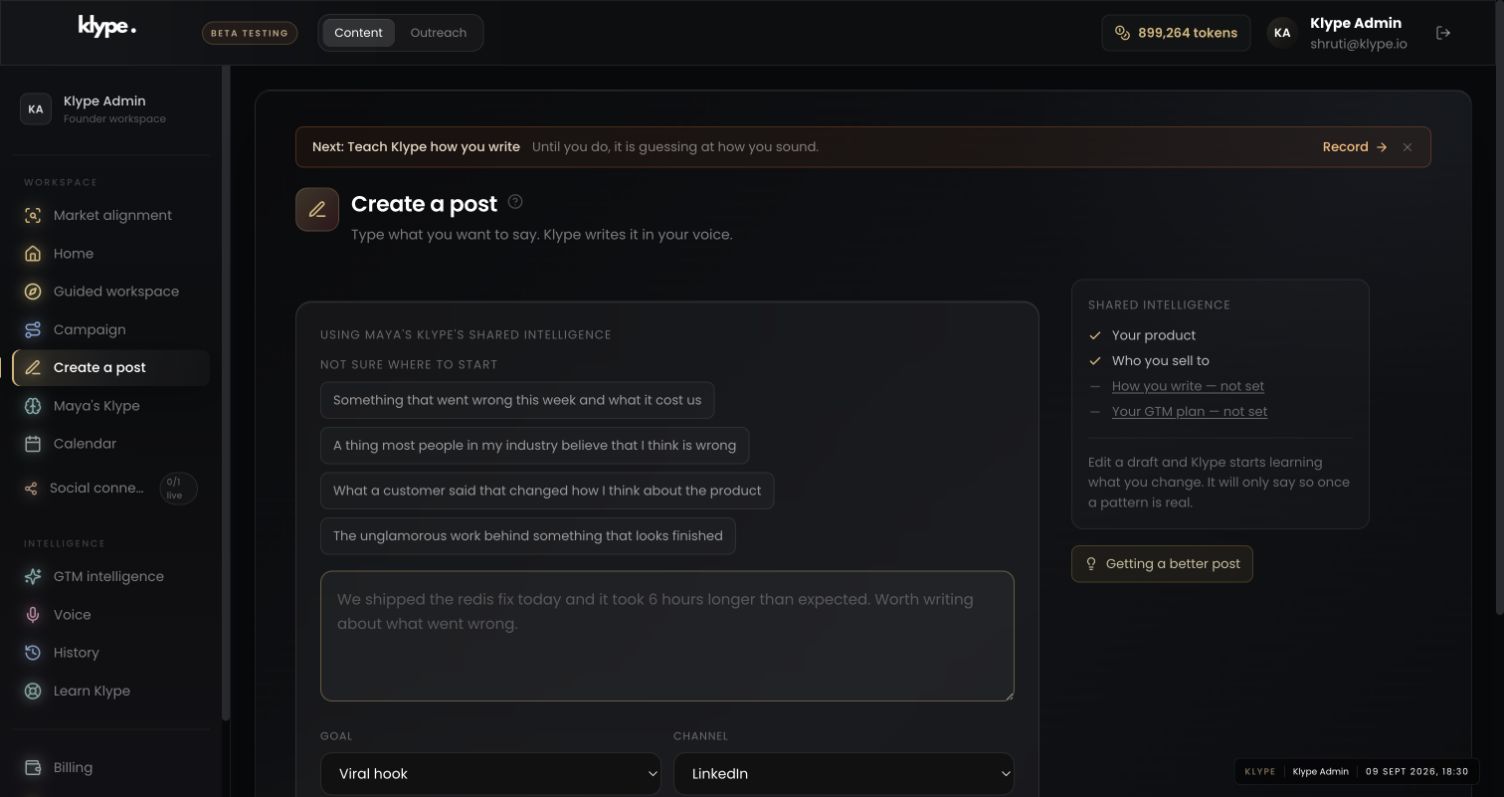
Write a practical post explaining what a small business should prepare before commissioning a service-page design. Include the customer question, intended action and approved proof. Make clear that design does not resolve an unclear offer. Do not promise conversion improvements.
Replace these example details with your own facts. This is a starting point, not a promise of a particular output.
Describe the situation that makes someone need you
Instead of ‘I am a freelance designer’, explain a situation such as a small business preparing its first service page. Then describe the part you handle and what the client needs to provide. Clear boundaries help readers understand the service. Do not imply you deliver strategy, copy and development if the engagement covers design only.
Show your thinking, not confidential deliverables
Explain how you choose a page hierarchy, structure an article or prepare a project handoff. Use your own portfolio material when you have permission to share it. If you use a fictional example, label it. Do not reuse client names, screenshots or unpublished numbers just because they make a post more convincing.
Build a brief around one buying question
Save your service and audience in Klype. Try: ‘Explain what a small business should prepare before hiring a freelance designer for a service page. Use a checklist and avoid promises about conversion rates.’ Review the result for scope, vocabulary and unsupported outcomes. The most useful draft reduces uncertainty about working with you.
Make the next step modest and clear
A relevant next step could be reading your service scope or answering two project questions. It does not have to be an immediate sales call. Track the quality of enquiries and recurring misunderstandings. If prospects keep expecting a service you do not offer, correct the positioning instead of merely generating more posts.
Try it with your own work
List the questions that appear in early enquiries: what is included, what the client must prepare, what affects the scope and what happens next. Choose the question that causes the most confusion. Write the answer you wish a good-fit client had read before contacting you.
After publishing, record whether enquiries become more specific. If people still assume you include a service you exclude, revise the explanation rather than simply increasing posting frequency. The useful outcome is clearer fit and a better conversation, not a guarantee of more leads from each post.
When the result needs work
Paste a LinkedIn draft and the free checker scores it in your browser. Your text stays in your browser.
Check current feature availability and checkout terms in the app.
Common questions
Can I use a sample project in my content?
Yes, if you clearly identify it as a sample and do not present it as paid client work.
Should I include rates in every post?
Not necessarily. Explain scope and fit first; share pricing where it helps a reader make an informed enquiry.