 Shruti Kaushik
You can know your work well and still find it difficult to write about it. Guided Klype gives you a smaller set of starting points inside the same platform. It does not require a separate product or replace the regular Home screen.
A small capture, review and planning routine that fits around the work you already do.
- One question from a normal workday
- A short factual answer
- A review slot before anything is published
Why this gets difficult
For a busy professional, the hard part is often the transition between knowing something and presenting it. You explain useful ideas in consultations, meetings and visits, but the explanation disappears when the conversation ends. Starting with a marketing calendar adds another task before the knowledge has been captured.
Guided Klype gives that transition a smaller shape. Capture the point, review the draft and decide where it belongs. You can still use the full platform when you need it. The guided route is useful because it reduces the number of starting choices, not because it removes your responsibility for what is published.
A working-day observation is enough to begin
I need to post something today, but I do not know what to say.
A new customer asked what happens after the first consultation. The actual next steps are a written summary, a list of information we still need and agreement on the scope. Explain that process in everyday language.
The useful information already exists. The brief simply makes it available to the drafting workflow. You can adapt the same pattern to a first property viewing, a design consultation or a student project review. Keep the sequence accurate for your own work rather than borrowing a polished process you do not actually follow.
Follow the workflow, screen by screen
Use these screens as a map, then apply the example to your own workspace. Each step explains what to look for, not just which page to open.
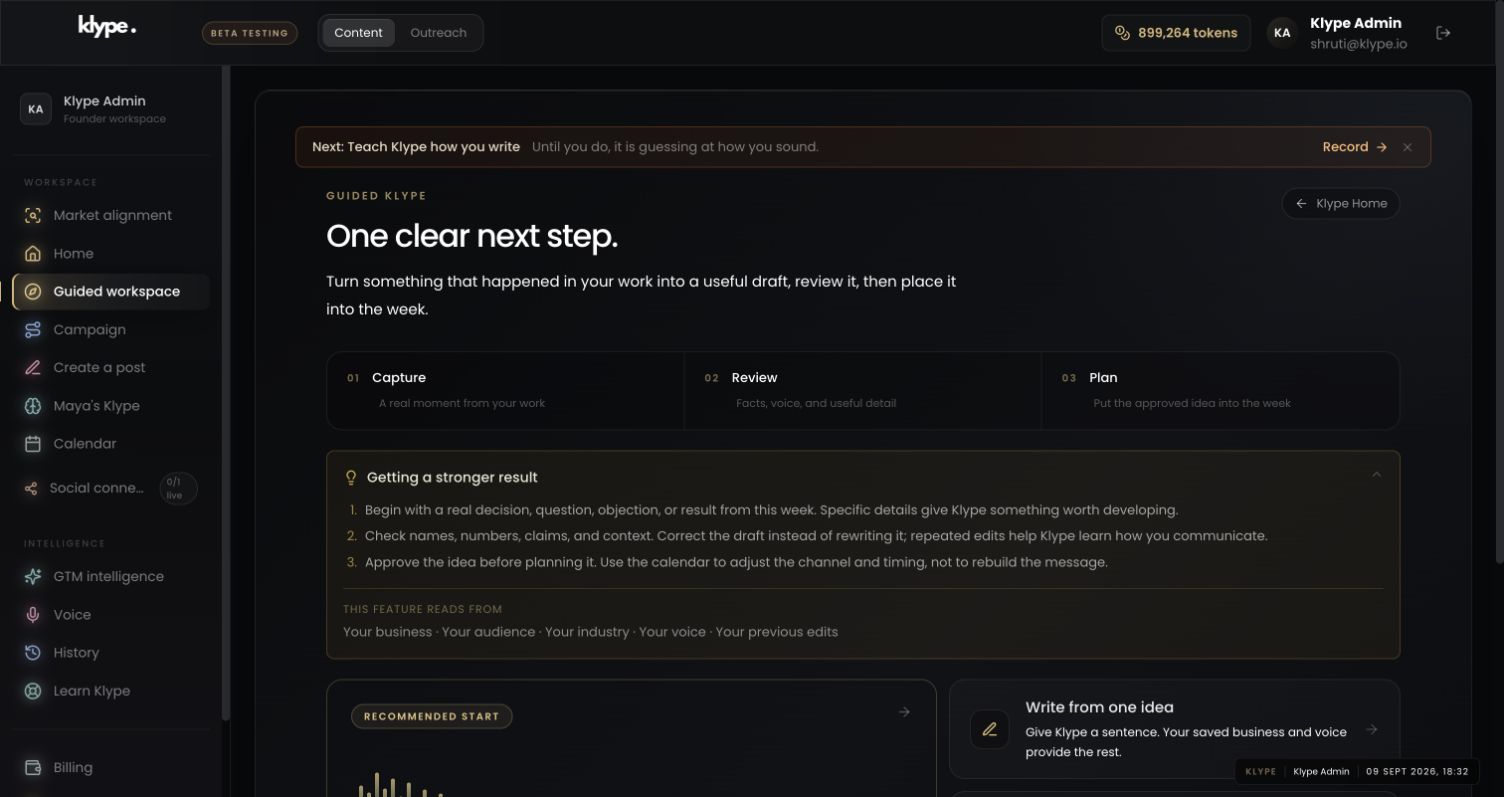
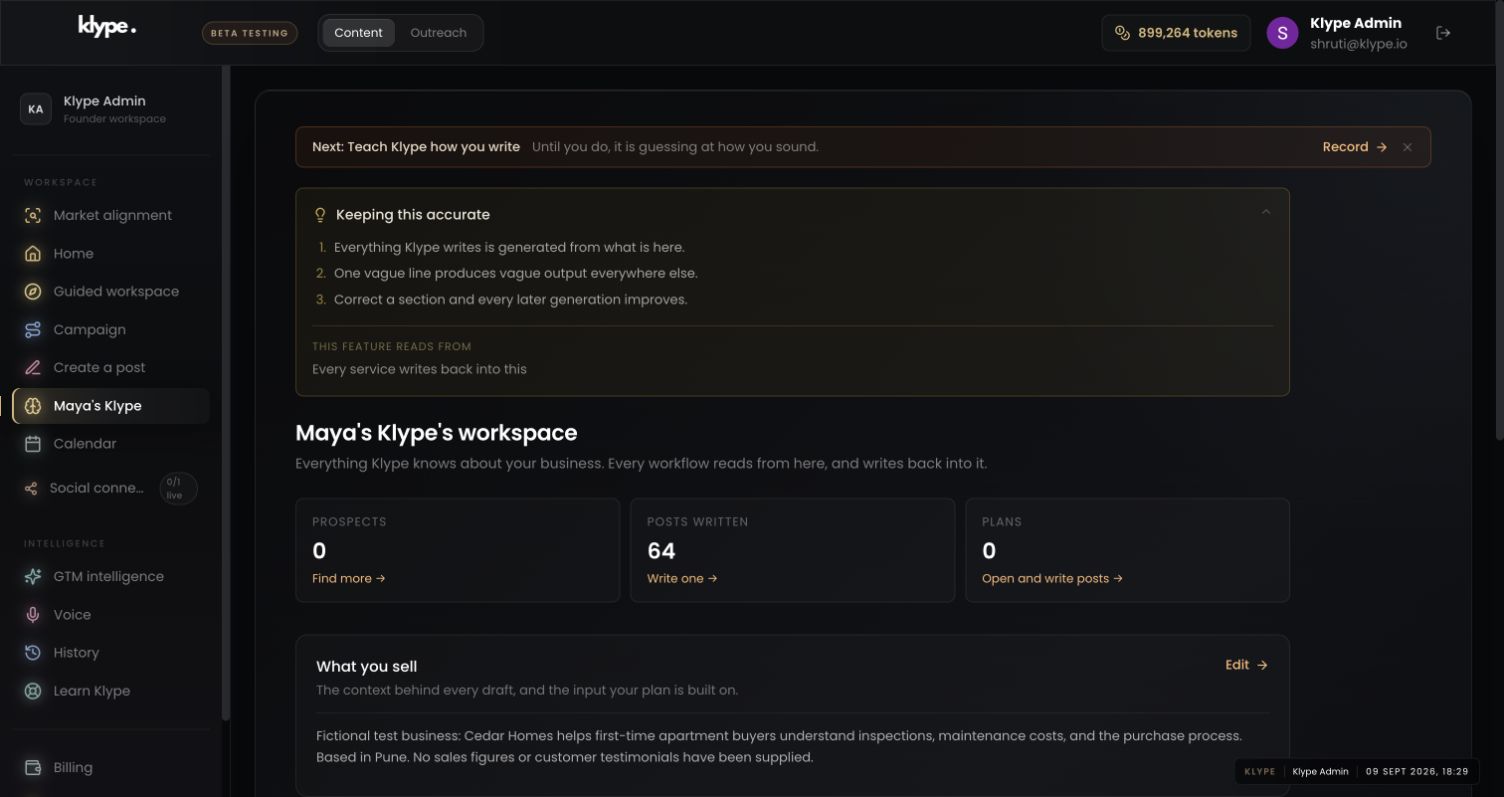
Real product captures from 9 September 2026, using the fictional Maya / Cedar Homes test workspace. These show the interface, not the article’s example being generated. The admin balance is not a plan allowance. Select a screenshot to inspect the full image, including the sidebar.
01Choose a manageable next step
Use Capture, Review and Plan as a sequence. Write from one idea is enough if you prefer not to record audio.
02Check the business context
Review context when a draft misunderstands who you help. Correcting this source can be more useful than rewriting each brief.
03Give the draft one clear job
Use the standard creation screen when you need to choose the channel or goal more deliberately. The guided route leads into existing workflows.
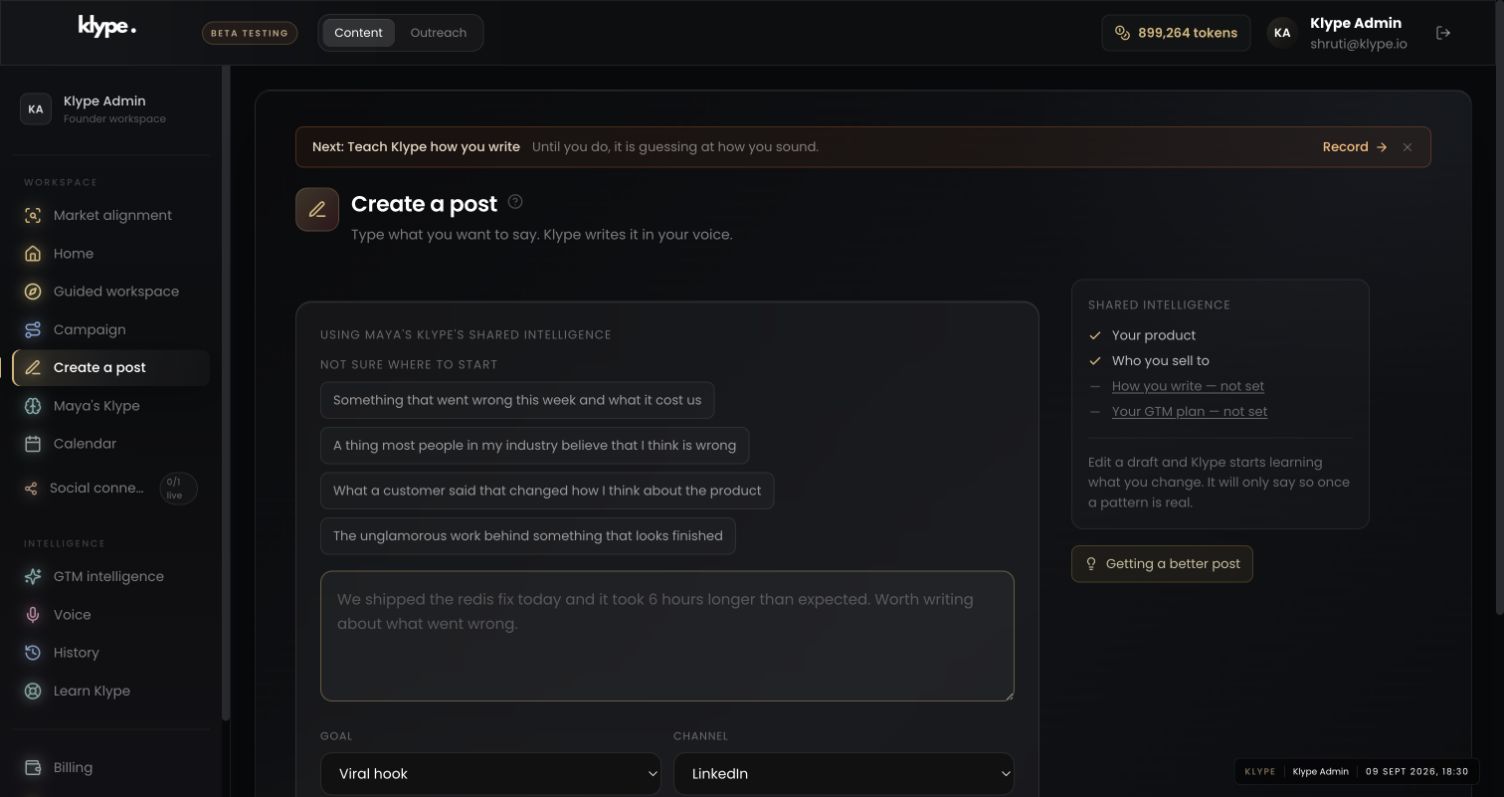
Explain what a new customer can expect after our first consultation. Use these actual steps: written summary, missing information and agreed scope. Keep it reassuring and specific. Do not imply the next stage is booked or paid unless that is true.
Replace these example details with your own facts. This is a starting point, not a promise of a particular output.
Open Guided workspace
Use Guided workspace in the sidebar. The page is organised around Capture, Review and Plan. Before beginning, use Review context if you need to check which business and audience are saved. A clear context prevents a short input from being interpreted for the wrong business.
Capture something from your work
Choose Write from one idea to start with a sentence, or Talk about your week to open the audio-to-text workflow. For example: ‘A customer asked what happens after the first consultation. Explain the next steps simply.’ Keep client identities and confidential details out of the input. Audio availability depends on the recording/upload controls supported in your session.
Review the useful parts
Review what is ready opens the draft-review area. Check that the text says what you meant and that names, numbers and claims are accurate. Focus on correcting the draft rather than rewriting the whole thing. A recognisable, useful explanation is more important than making every post sound like a campaign.
Place it into the week
See this week opens the simpler weekly view. Use the full Calendar when you need its broader controls. Treat a draft, an approved idea, a scheduled item and a published post as different states. Publishing requires an available, connected channel; a place on the calendar alone is not proof that a post went out.
Try it with your own work
Try one complete cycle before building a bigger routine. Capture the answer in a sentence, check the draft against your actual process and choose one place to use it. It might become a public post, but it might first be more useful as a clear explanation for a prospective customer.
Give the review a stopping rule. Check the service steps, any names or numbers and whether the final action makes sense. If those are correct and the language sounds like you, avoid polishing indefinitely. For consequential health or financial claims, the stopping rule must include appropriate professional review; a simple interface does not make those claims automatically safe.
When the result needs work
Paste a LinkedIn draft and the free checker scores it in your browser. Your text stays in your browser.
Check current feature availability and checkout terms in the app.