 Shruti Kaushik
Choose one real customer question each week, explain it in plain language and turn it into a draft you can review. A local business does not need to begin with a large content calendar. Start with a routine small enough to repeat, then expand only when it supports the business.
A repeatable weekly routine built from customer questions, without an oversized publishing schedule.
- A running question list
- One explanation to prepare each week
- A simple response review
Why this gets difficult
A local business already produces useful explanations every day. The difficulty is saving them in a form that can help the next customer. A content routine should make that easier, not require the owner to become a full-time publisher.
Choose a rhythm based on the time you can protect. One useful post you can review and respond to is a better starting experiment than a daily schedule you cannot maintain. This is not a universal posting-frequency rule. It is a way to establish a reliable process before adding volume.
Turn a repeated appointment question into a useful explanation
We are passionate about providing excellent service. Book your appointment today.
Before your first design consultation, bring a few photos of the space and a short list of what is not working. You do not need a finished solution. The consultation starts by understanding the problem and agreeing what needs attention.
This illustrative example gives a prospective customer practical preparation advice. Use only the steps your business actually follows. The same structure can explain what to bring to a repair appointment, what happens during a first viewing or how a project enquiry is assessed.
Follow the workflow, screen by screen
Use these screens as a map, then apply the example to your own workspace. Each step explains what to look for, not just which page to open.
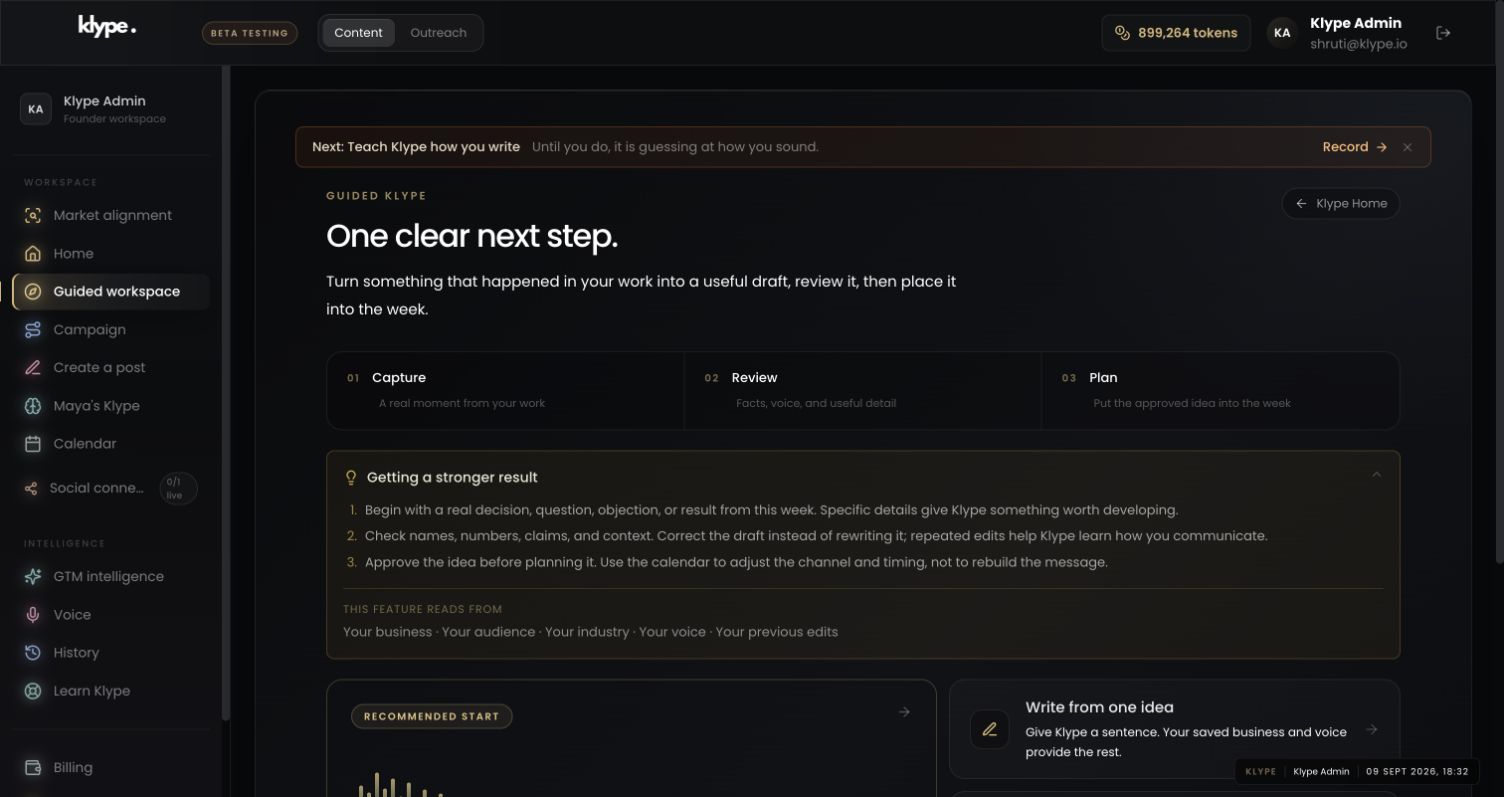
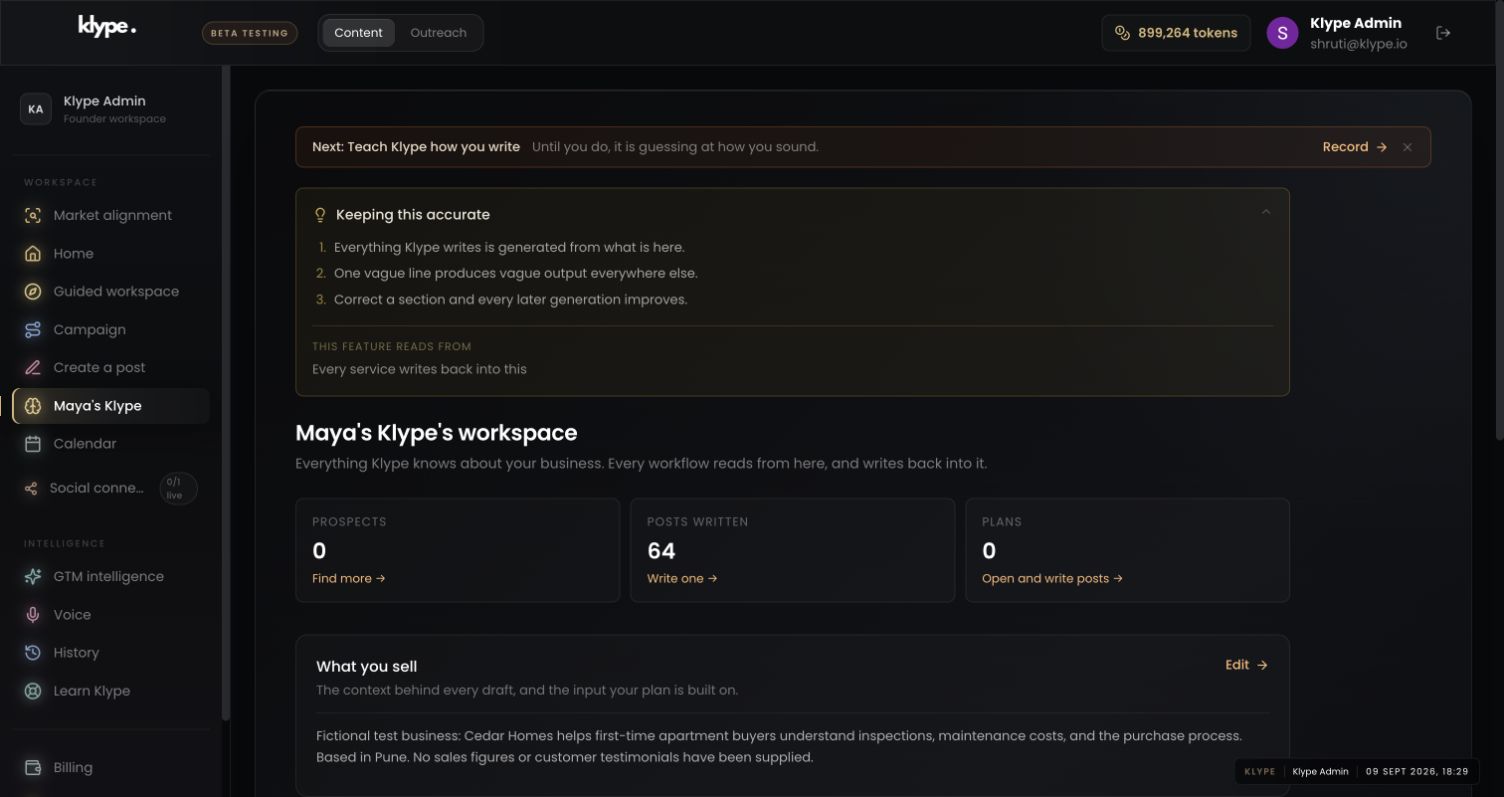
Real product captures from 9 September 2026, using the fictional Maya / Cedar Homes test workspace. These show the interface, not the article’s example being generated. The admin balance is not a plan allowance. Select a screenshot to inspect the full image, including the sidebar.
01Choose a manageable next step
Start in Guided workspace with one captured question rather than a blank publishing calendar.
02Check the business context
Save the real service and audience once. Update this when the service changes so the next brief starts from better context.
03Give the draft one clear job
Turn the question into a draft and inspect the next step. The post should not promise an appointment or service you cannot provide.
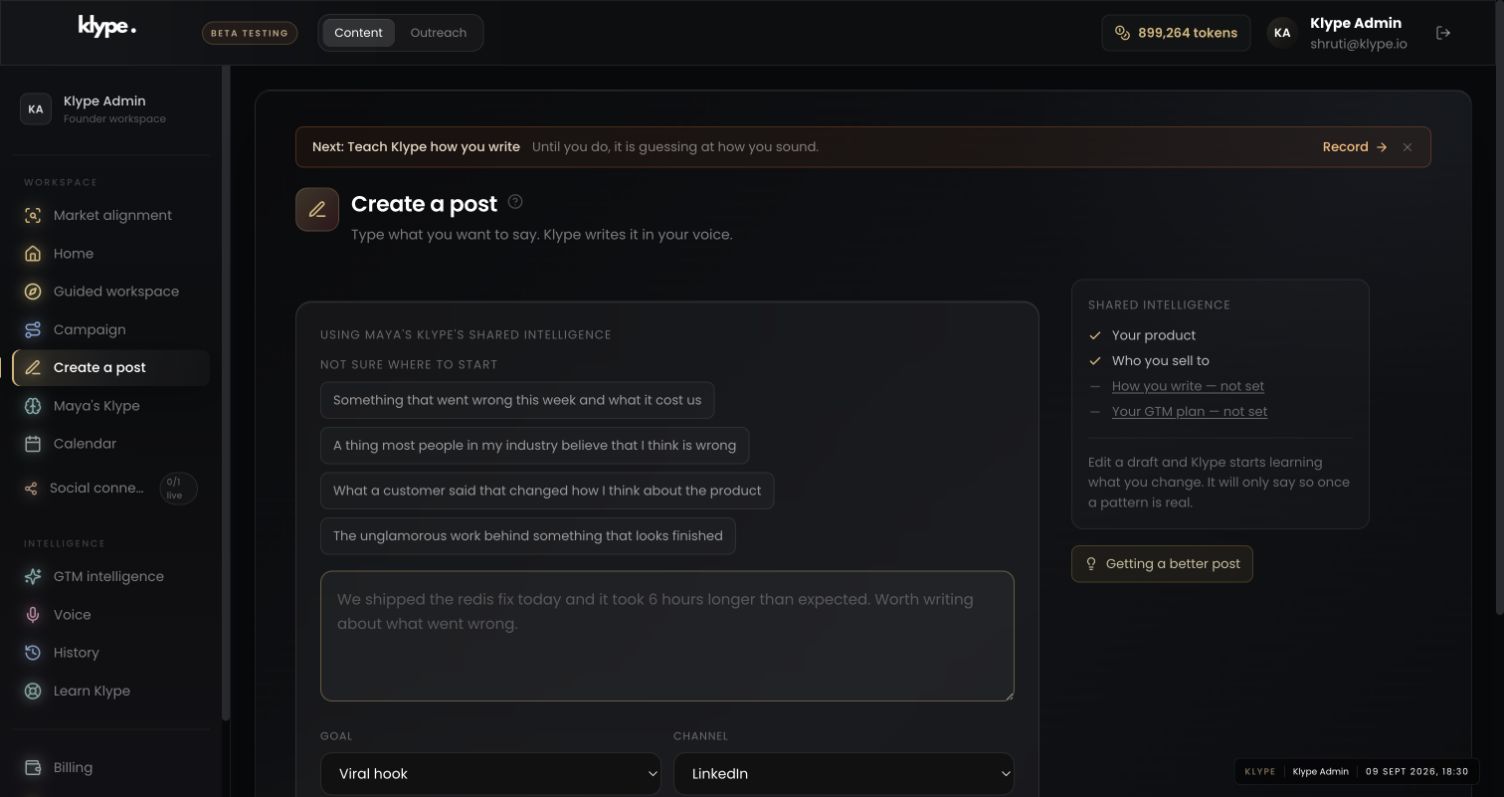
Explain how to prepare for our first consultation. Our actual preparation list is: photos of the space, what is not working and any constraints the customer already knows. Keep it welcoming. Do not invent a free service, a fixed turnaround or a guaranteed result.
Replace these example details with your own facts. This is a starting point, not a promise of a particular output.
Capture a question while it is fresh
After a call, visit or job, note one question that needed an explanation. A repair service might hear ‘Should I repair this or replace it?’ A studio might hear ‘What should I bring to my first appointment?’ Capture the general question, not a customer's personal details. A sentence is enough to retain the idea.
Decide what the reader should understand
Avoid the vague brief ‘Write something engaging about our business.’ Instead say, ‘Explain what a new customer should prepare before their first appointment.’ Include the actual preparation steps. If the answer depends on the service, say so. You are reducing uncertainty for a reader, not trying to fit every feature into one post.
Use the guided route without rebuilding your dashboard
Guided Klype offers capture, review and planning links while retaining the main platform. Start with Write from one idea if a written note is easiest. Talk about your week is an alternative where recording or upload is available. Keep the business workspace accurate so repeated drafts do not need a fresh introduction to the company.
Review and choose a realistic publishing rhythm
Check the service details, location and next step. Save the draft and decide where it belongs. Do not assume a channel will publish automatically: check its connection and availability in the app. Begin with a frequency you can sustain. After a few weeks, review whether the posts answer genuine questions and prompt relevant enquiries, rather than simply counting how many you produced.
Try it with your own work
Use the first short work session to choose a question and write the actual answer in notes. Use the second to draft and review it. After sharing, use a third brief check to record any response worth following up. Keep the routine attached to existing moments in the week rather than creating a large new meeting.
After several cycles, compare the recurring questions. If people still ask what your service includes, write a scope explanation. If they understand the service but do not know how to begin, clarify the first step. This turns customer questions into a practical editorial plan without requiring a trend feed.
When the result needs work
Paste a LinkedIn draft and the free checker scores it in your browser. Your text stays in your browser.
Check current feature availability and checkout terms in the app.
Common questions
Do I need a new idea every day?
No. Begin with a manageable rhythm and distinct questions your customers actually ask.
Does Guided Klype replace the main dashboard?
No. It is a separate route into existing capture, review and planning workflows.