 Shruti Kaushik
Post answers to the decisions your buyers face, not just descriptions of the properties you sell. Explain the questions to ask, documents to request and trade-offs to compare. A useful real estate post helps a reader prepare for a conversation with an adviser; it does not need to promise an investment return.
A buyer-question content series that offers more help than another property listing.
- Three questions from different buying stages
- One written comparison checklist
- A way to record relevant follow-up questions
Why this gets difficult
Listings answer a narrow question: what is available? Many buyers are stuck on an earlier question: how do I compare what is available? If every post presents a property, you miss the chance to help someone understand the decision before they are ready to enquire about a particular listing.
Create content around uncertainty rather than inventory alone. A useful explanation might clarify what a quoted price includes, what to ask before a viewing or how to organise questions for an adviser. Keep the advice within your expertise and the relevant location. A process explanation does not need a prediction about prices or returns to be worth reading.
One buying question, three genuinely different pieces
Here are five reasons why this is the perfect apartment for your dream lifestyle.
Before comparing two apartments, ask each seller for the same breakdown: included items, recurring charges and costs that may change. A checklist makes the comparison clearer than relying on two headline prices.
Build a short series from the question, not from repeated adjectives. The first post can supply the checklist. The second can explain one confusing category of cost without inventing figures. The third can answer a real follow-up question. Each piece adds a different layer of help.
Follow the workflow, screen by screen
Use these screens as a map, then apply the example to your own workspace. Each step explains what to look for, not just which page to open.
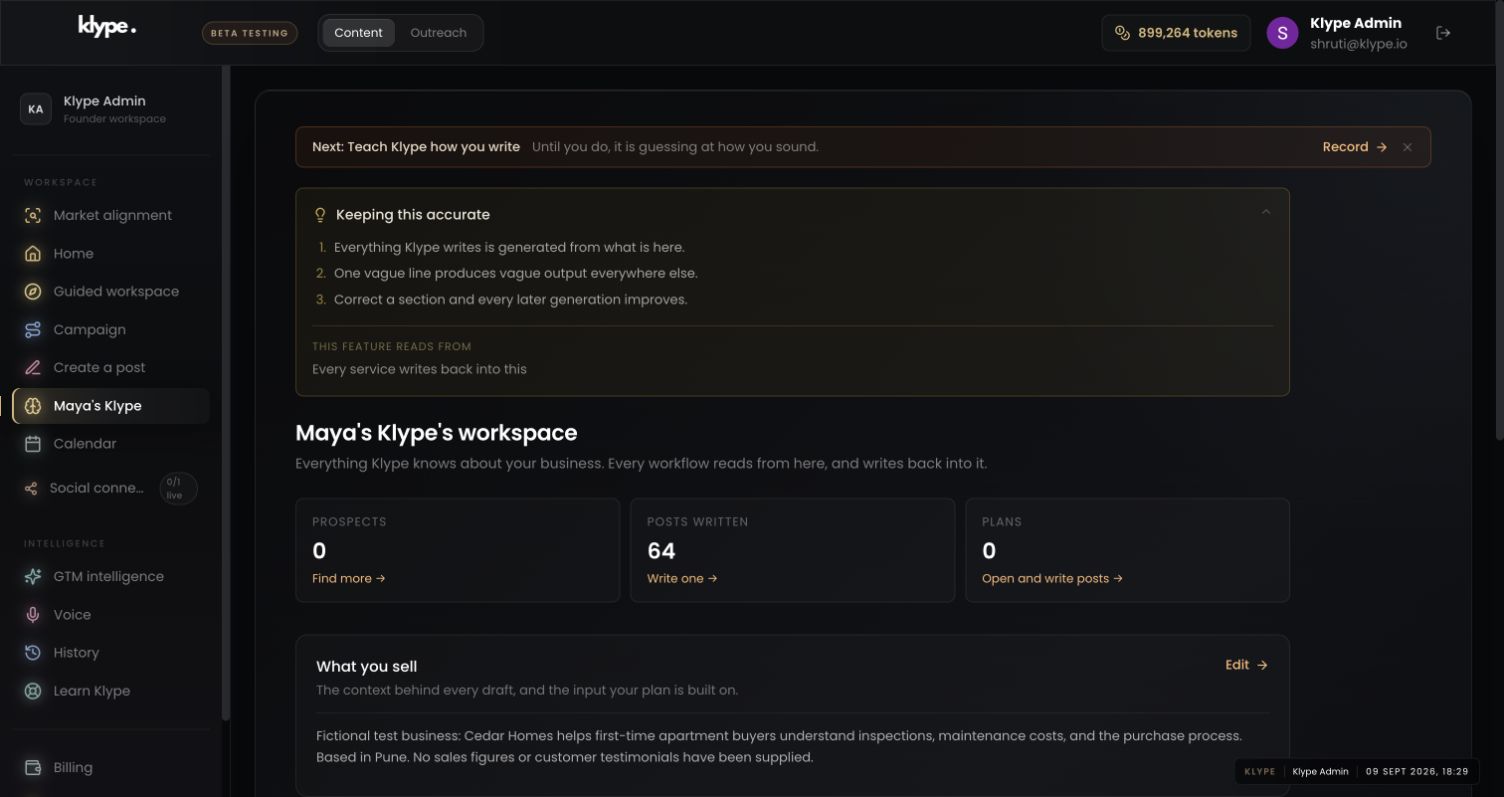
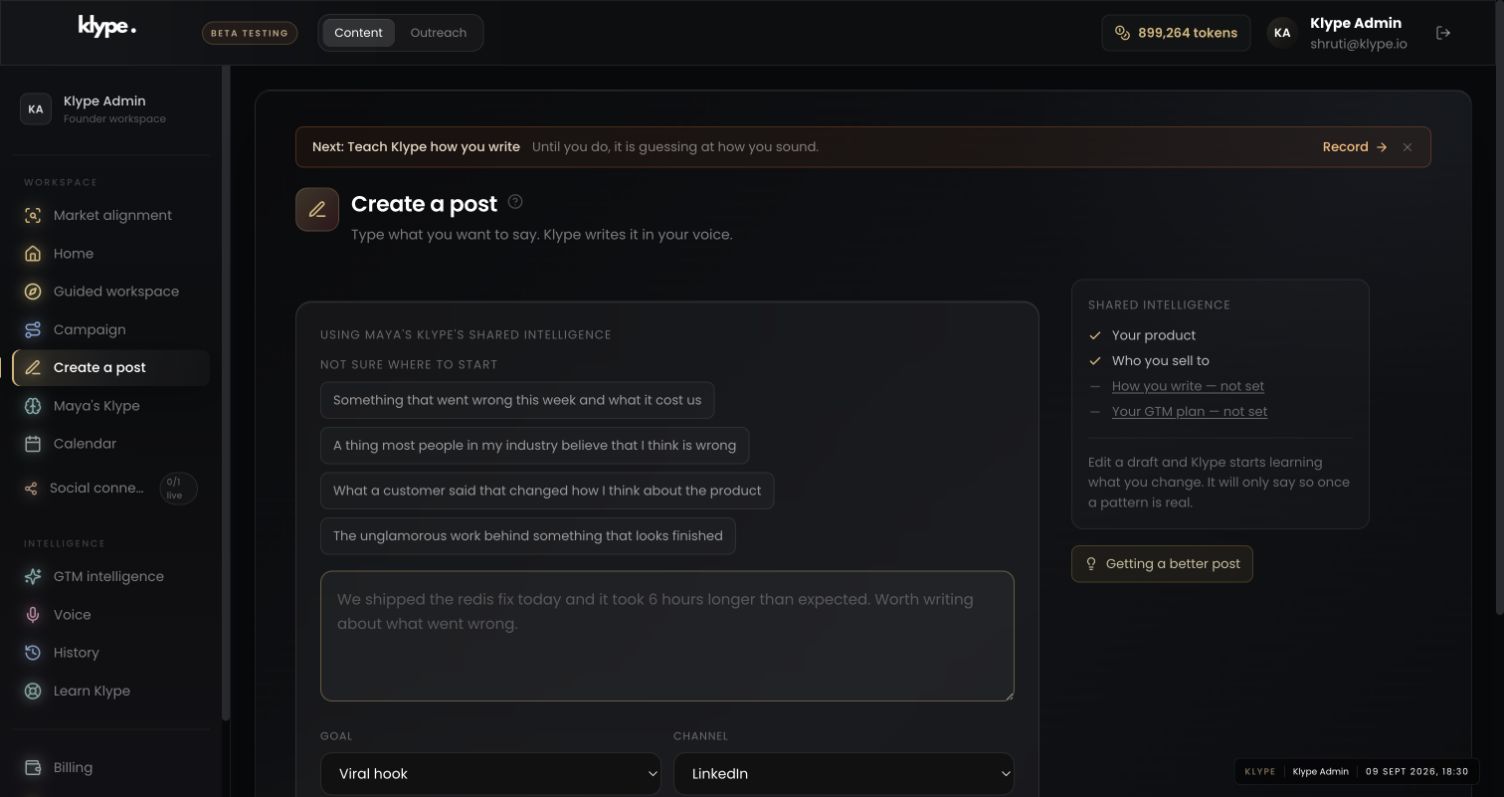
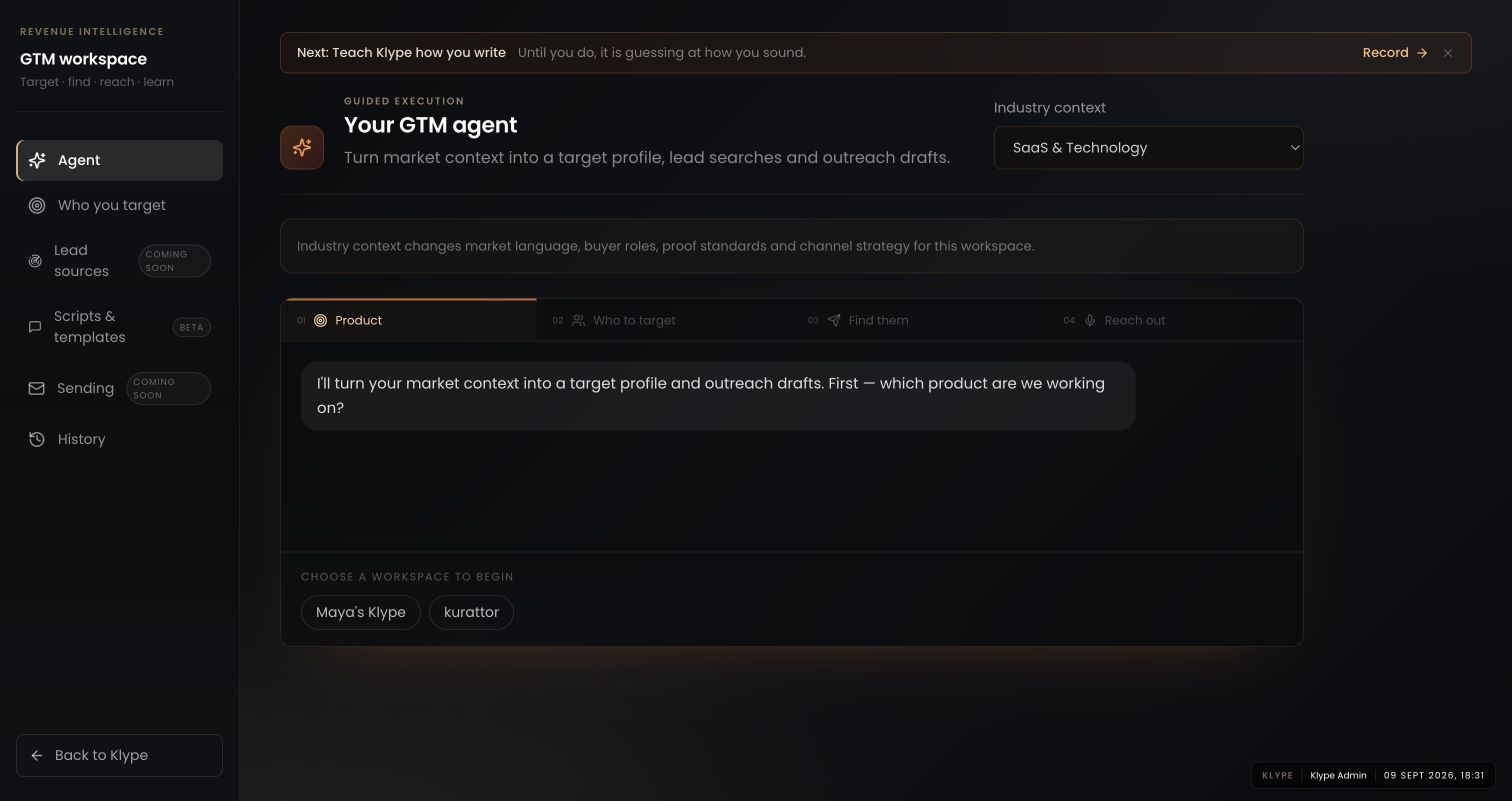
Real product captures from 9 September 2026, using the fictional Maya / Cedar Homes test workspace. These show the interface, not the article’s example being generated. The admin balance is not a plan allowance. Select a screenshot to inspect the full image, including the sidebar.
01Check the business context
Save the buyer type and the service area in the workspace. The fictional example is deliberately narrower than “all property buyers”.
02Give the draft one clear job
Use Create a post for one question at a time. Check the industry setting before relying on the draft’s terminology.
03Connect the idea to a plan
Use the GTM workspace to choose where this buyer question belongs in your next week, not to assume it has found live prospects.
For first-time apartment buyers, draft a practical checklist for comparing what two quoted prices include. Ask about included items, recurring charges and possible changes. Use plain language. Do not invent prices, transaction results or universal legal requirements.
Replace these example details with your own facts. This is a starting point, not a promise of a particular output.
Organise ideas around the buyer's next decision
Start with three moments: before a viewing, before comparing offers and before committing. For each, write down questions you hear repeatedly. Examples include what is included in a quoted price, how to compare maintenance costs and what to ask about parking. Choose questions you can answer from your actual service experience. Do not turn location-specific legal requirements into universal advice.
Turn one question into several distinct posts
Take ‘What will this apartment cost after I move in?’ One post can be a checklist of recurring costs. A second can explain why two similar asking prices may not be comparable. A third can show a fictional comparison with clearly labelled assumptions. These are different reader tasks, not three rewrites of the same hook. Never present the fictional comparison as a real transaction.
Give Klype the reader and the question
Save your location, services and buyer type in the workspace. Then use a brief such as: ‘For first-time apartment buyers, explain why they should request a written breakdown of maintenance and parking costs. Use a practical checklist. Do not invent figures.’ Check the selected industry and workspace before generating. The screenshot shows the content interface, not an output from this example.
Judge the post by the conversation it supports
A useful response might be a buyer asking for a checklist or arriving at a viewing with clearer questions. Record those observations yourself; do not treat likes as proof of qualified demand. Over several posts, note which questions produce relevant conversations and which simply attract other property professionals. Keep what helps the buyer make a more informed decision.
Try it with your own work
Map your questions to three moments: preparing for a viewing, comparing options and preparing for a professional conversation. Choose one question from each. This creates variety naturally because the reader needs different help at each stage.
For the first post, ask a colleague to play the buyer. Can they name what they should request or ask after reading it? If not, replace broad advice with the actual question. After publication, note the questions you receive. A detailed follow-up about scope or process tells you more about usefulness than praise from another adviser, although neither alone proves purchase intent.
When the result needs work
Paste a LinkedIn draft and the free checker scores it in your browser. Your text stays in your browser.
Check current feature availability and checkout terms in the app.
Common questions
Do I need to publish property prices?
No. You can explain questions and trade-offs without quoting prices. If you include a price, verify it and make its scope and date clear.
Can one idea become more than one post?
Yes, when each post answers a different question. Changing the wording alone does not create a new useful idea.