 Shruti Kaushik
Describe the problem your project addressed, your own contribution and what you learned. College and university students do not need to sound like experienced executives to share useful work. An accurate account of a real project is stronger than inflated job titles, invented impact or generic motivational language.
A project explanation that shows your contribution, evidence and learning without inflated experience.
- One project you are allowed to discuss
- A precise account of your contribution
- A limitation and a next experiment
Why this gets difficult
A student project does not need to sound like a company launch. Readers can learn a lot from a clear account of a small problem, the work you did and what did not go as expected. Inflated titles and vague claims make that useful detail harder to see.
Use the post to make your work understandable. A classmate, mentor or potential employer should be able to tell what you personally contributed and ask a sensible follow-up question. That is a better goal than imitating the language of someone with a much longer career.
A small project with a clear contribution
Thrilled to announce a revolutionary productivity solution that will transform how teams work.
For a class project, our group built a simple task tracker. I worked on the interface and the empty state. My first version showed too many options before a task existed. I changed it to explain how to add the first task. We have not tested it with users yet; that is the next step.
This illustrative example states the setting, credits the group, explains the individual contribution and names the limit of the evidence. It does not need invented user numbers to demonstrate reflection. The reader can ask about a specific design choice rather than respond to a vague announcement.
Follow the workflow, screen by screen
Use these screens as a map, then apply the example to your own workspace. Each step explains what to look for, not just which page to open.
Real product captures from 9 September 2026, using the fictional Maya / Cedar Homes test workspace. These show the interface, not the article’s example being generated. The admin balance is not a plan allowance. Select a screenshot to inspect the full image, including the sidebar.
01Choose a manageable next step
Use the guided entry to start from one real project observation rather than trying to invent a personal-brand story.
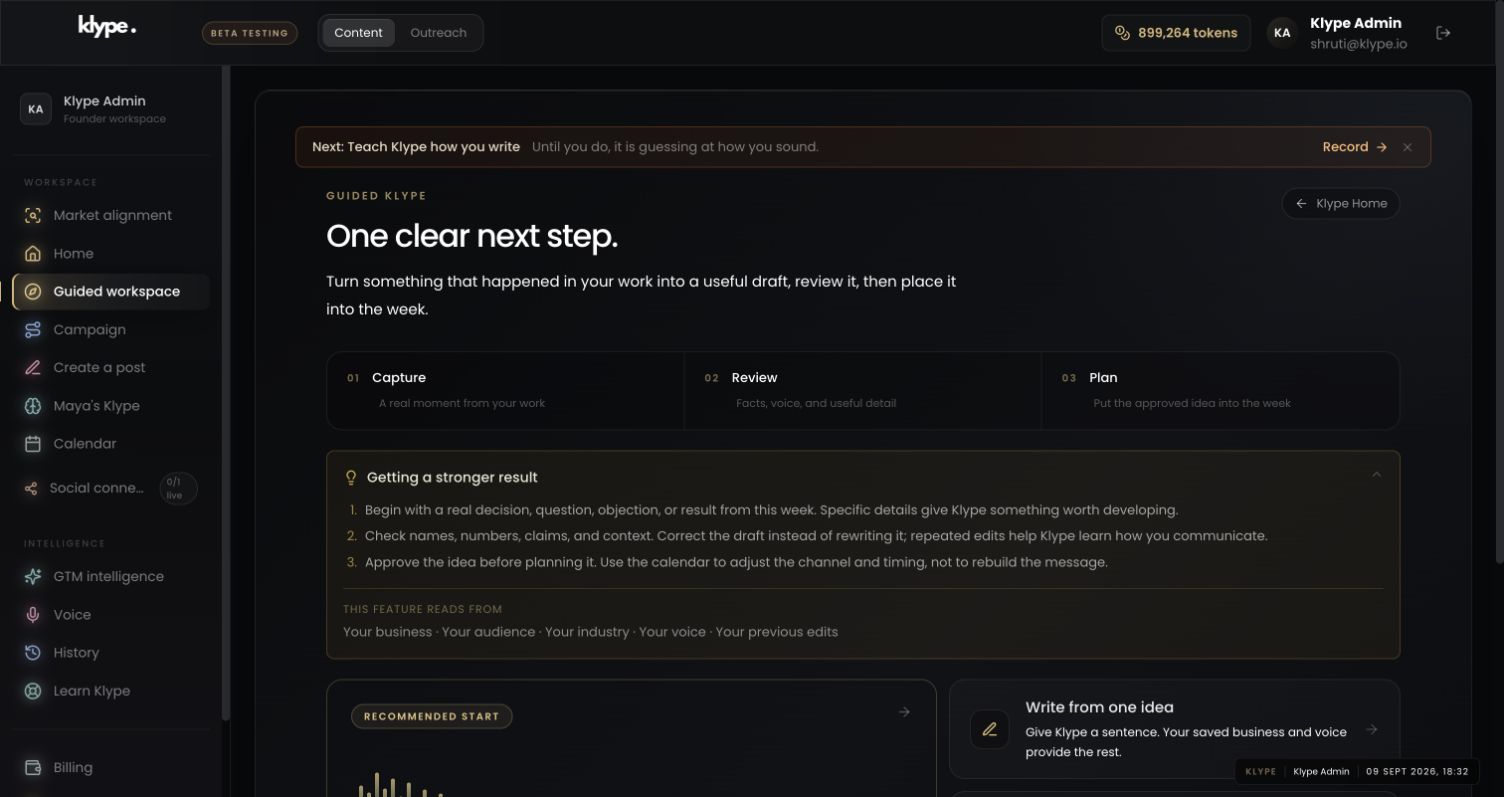
02Check the business context
Set the context honestly as a project or area of work. A business-oriented label does not require you to pretend you have customers.
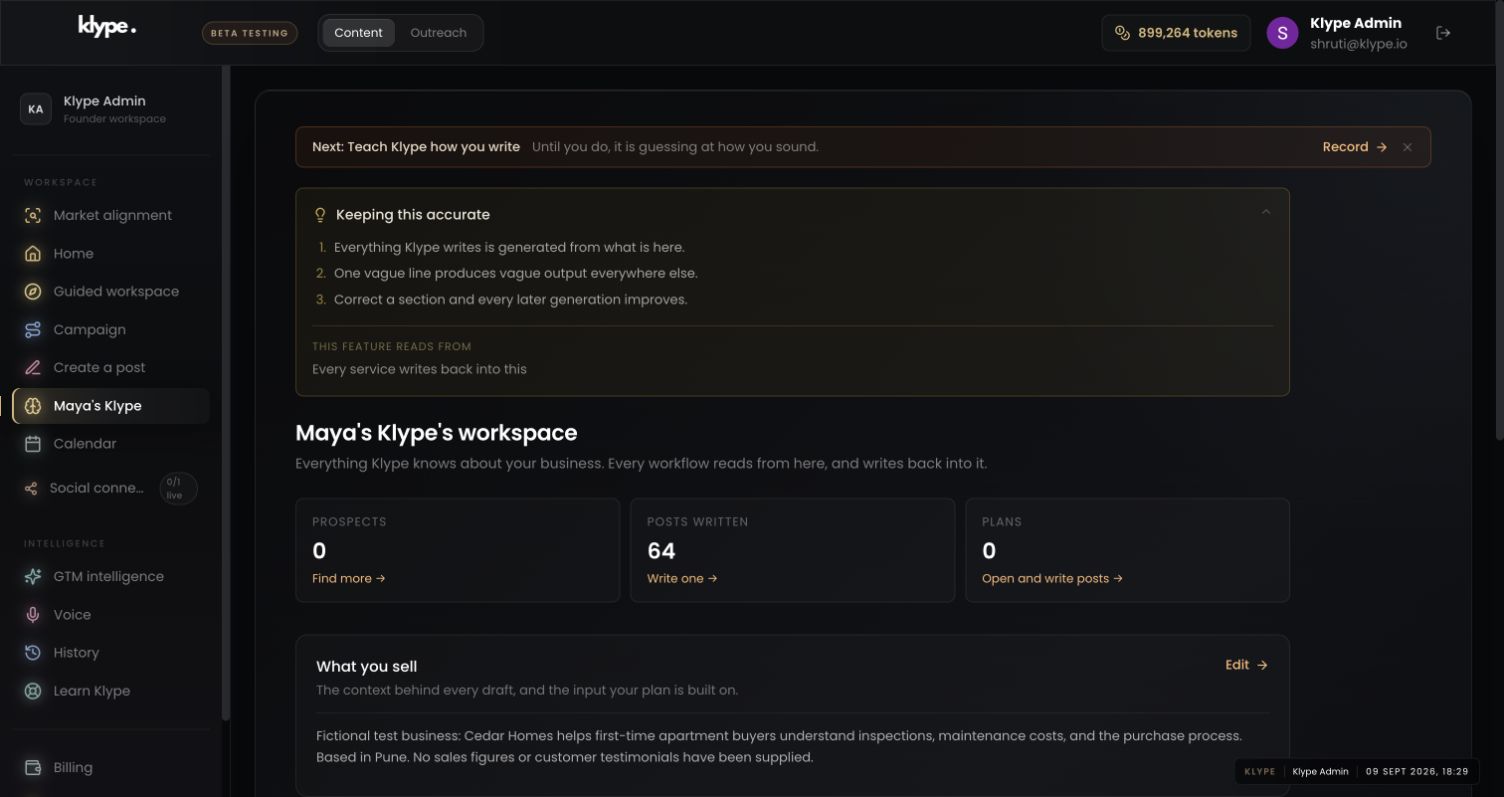
03Give the draft one clear job
Provide your own contribution and learning in the brief. The screenshot shows the drafting interface, not a student project or generated student result.
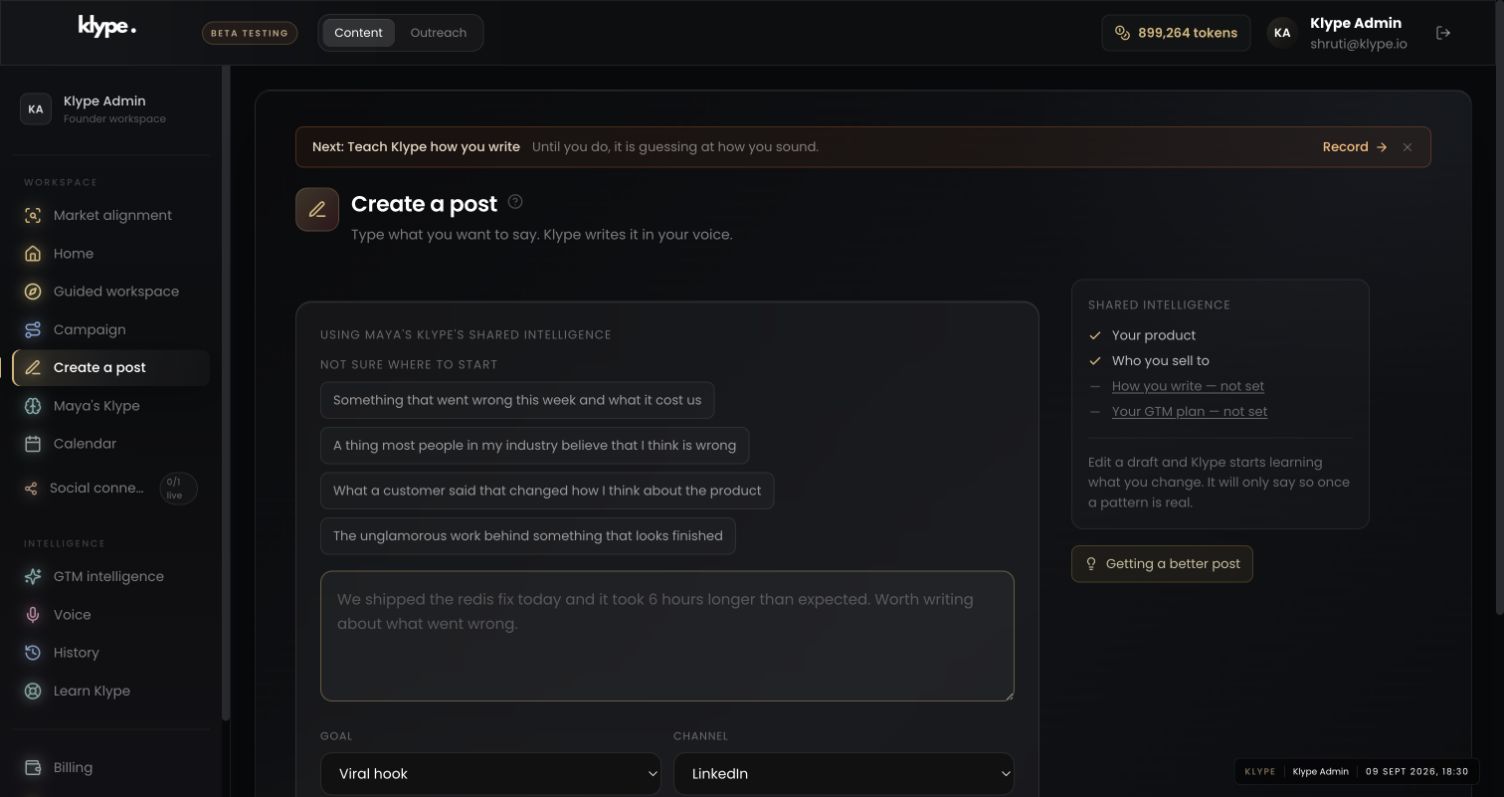
Help me explain a class project publicly. Our group made a simple task tracker; I designed the interface and revised the empty state. We have not tested it with users. Keep my contribution and that limitation clear. Do not invent employment experience, adoption or performance results.
Replace these example details with your own facts. This is a starting point, not a promise of a particular output.
Start with one project you can explain
Choose coursework, a personal build, a volunteer activity or an internship task you are allowed to discuss. State whether it was individual or group work. Explain what you personally did and credit collaborators where appropriate. Check course, employer and project-sharing rules before publishing code, data or screenshots.
Use a simple evidence-led structure
Write four notes: the question, what you tried, what happened and what you would change. If the project did not work, explain the limitation. Do not invent user numbers or turn a class assignment into a commercial product launch. A small, specific learning can be useful to another student or a potential collaborator.
Ask Klype to clarify, not create experience
A suitable brief is: ‘Help me explain my student project in plain language. I built a small task tracker for a class exercise. My contribution was the interface. Do not invent users, performance results or employment experience.’ Add the actual learning and review the draft carefully. Use this for public communication about your work, not to misrepresent authorship in an assessed academic submission.
Connect the post to a real next step
Link an approved portfolio item or ask a focused question about your approach. Avoid sharing classmates' personal information or confidential internship material. Before posting, check that you can explain every technical claim yourself. The goal is to make your work understandable, not to imitate someone further along in their career.
Try it with your own work
Write four notes before drafting: the problem, your contribution, what you observed and what you would try next. If it was group work, separate your work from the team’s result. Link only to material you are allowed to share and credit collaborators where appropriate.
Read the finished explanation as if a mentor will ask you about every sentence. Can you explain each technical claim? Is the limitation visible? Is the project’s status clear? Use Klype to organise and clarify your account, not to create experience you did not have. Follow your institution’s rules for assessed work; this guide concerns public communication about real work.
When the result needs work
Paste a LinkedIn draft and the free checker scores it in your browser. Your text stays in your browser.
Check current feature availability and checkout terms in the app.
Common questions
Can a student use Klype without running a business?
The content workflow can help explain a project or area of interest. Set the context honestly rather than pretending to have a company or customers.
Can I use it to write assessed coursework?
Follow your institution's rules and disclose permitted assistance where required. This guide is about presenting real work publicly, not outsourcing assessed work or concealing authorship.