 Shruti Kaushik
Choosing ‘professional’ does not tell a platform whether you use short sentences, explain ideas through examples or avoid sales language. Your own writing provides a more concrete starting point. Klype's Voice page is where you supply it.
A small, repeatable test for whether a draft sounds like you, rather than a generic tone label.
- Three or more genuine writing samples
- One familiar topic for comparison
- A short edit list you can apply again
Why this gets difficult
A tone label describes an intention, not a writing habit. Two people can both sound conversational while writing very differently: one uses compact observations; another explains a point through a patient example. Asking for a friendly tone cannot resolve that difference on its own.
Treat voice setup as a practical experiment. Supply material you recognise as your own, write on a topic you understand and inspect the resulting language. A profile being saved is a setup event. A draft needing fewer unwanted style edits is the useful result. Keep those two checks separate.
Make the sentence more recognisable, not more impressive
In today’s ever-evolving landscape, it is imperative to leverage a robust strategy for meaningful engagement.
Before you plan next week’s posts, look at the questions people actually asked this week. Start with the one you can answer properly.
This is an editorial rewrite, not a captured Klype output. It removes an abstract opening, names a task and gives the reader an action. It may or may not match your own voice. The point of the comparison is to identify what you would keep, rather than choosing the version that merely sounds more polished.
Follow the workflow, screen by screen
Use these screens as a map, then apply the example to your own workspace. Each step explains what to look for, not just which page to open.
Real product captures from 9 September 2026, using the fictional Maya / Cedar Homes test workspace. These show the interface, not the article’s example being generated. The admin balance is not a plan allowance. Select a screenshot to inspect the full image, including the sidebar.
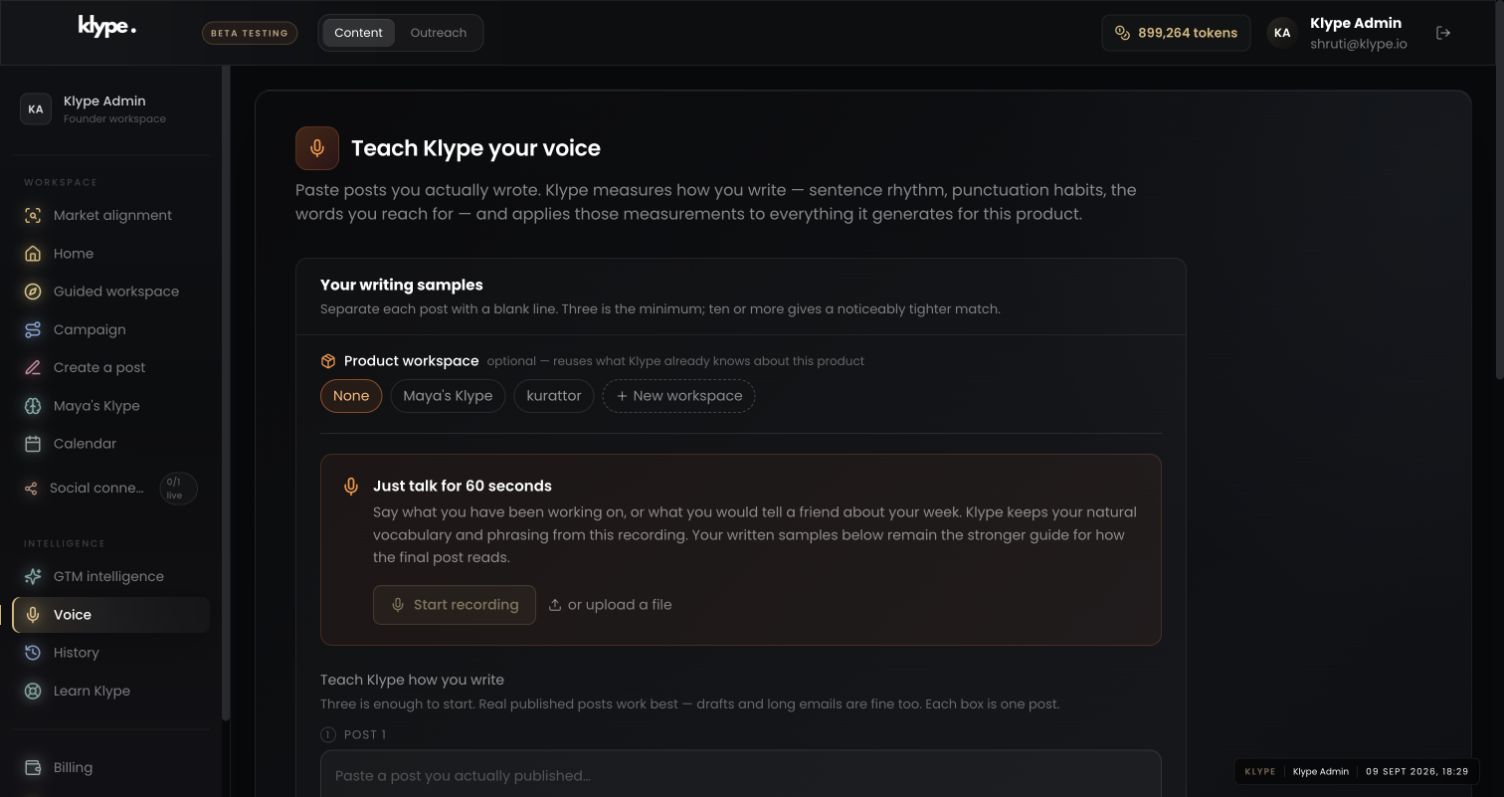
01Set a writing reference
Choose the intended product workspace and add your own samples. The screenshot shows the sample-input screen, not a completed voice analysis.
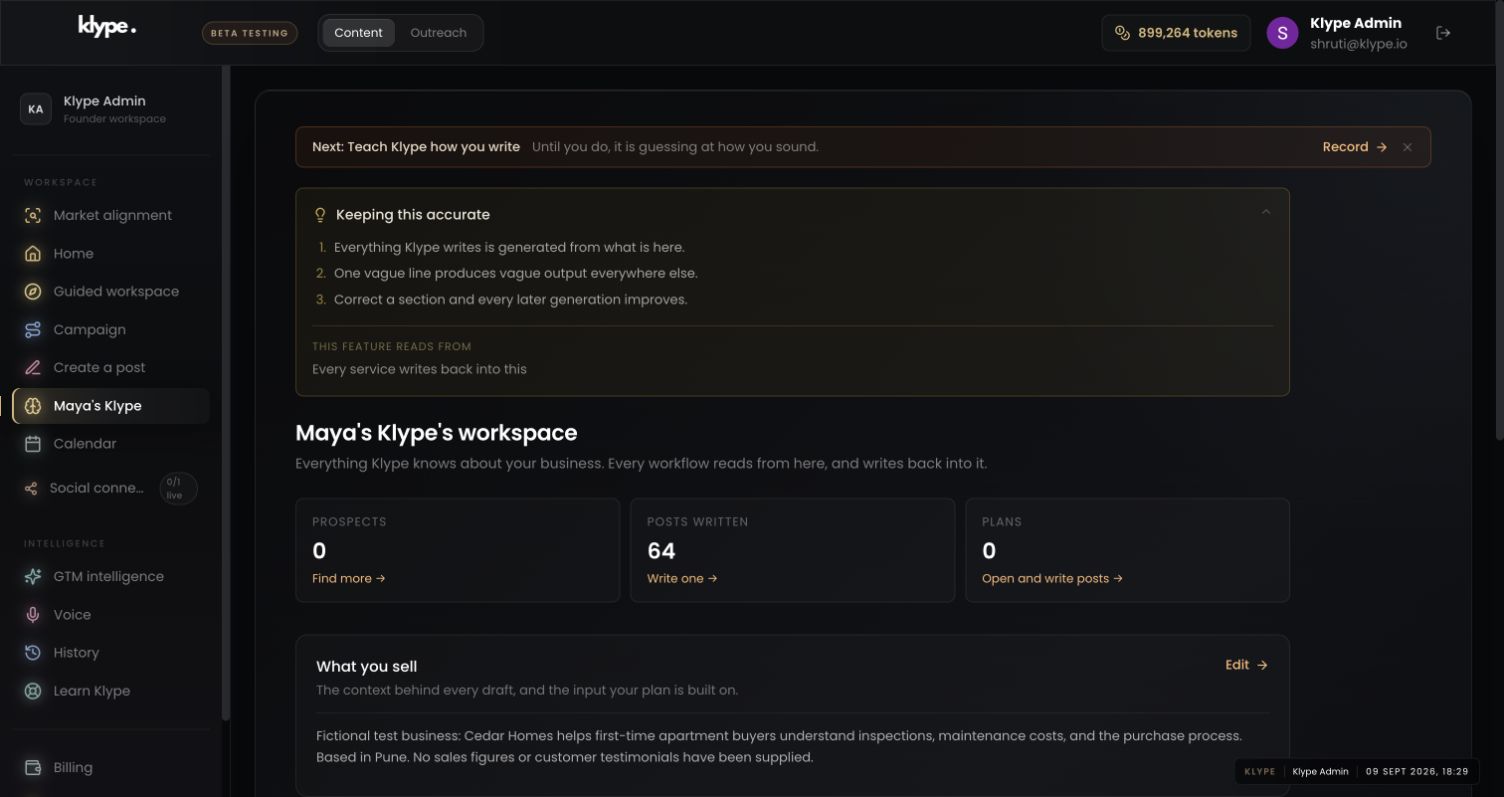
02Check the business context
Check that the same business is selected. A voice intended for a personal profile may be wrong for a separate business.
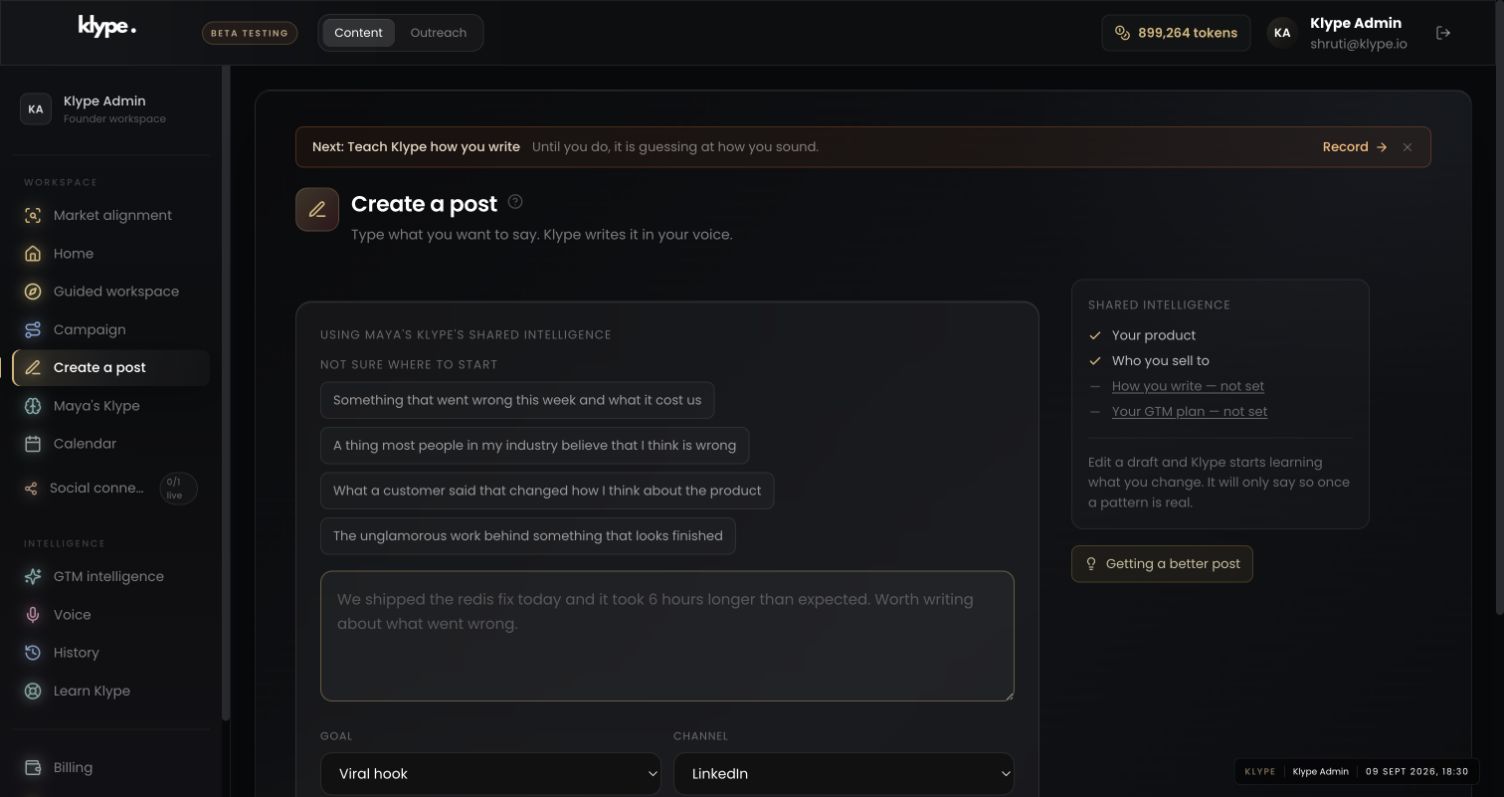
03Give the draft one clear job
Review the available intelligence before generating. A missing voice indicator is a reason to check setup, not to assume your samples were used.
Explain why a business should start its next post with a real customer question. Use my saved writing voice. Keep the explanation practical. Do not add a personal anecdote, a dramatic claim or a motivational closing.
Replace these example details with your own facts. This is a starting point, not a promise of a particular output.
Choose writing that represents you
Open Voice in the sidebar and select the appropriate product workspace. Use posts, drafts or long emails that you wrote yourself. Choose material that sounds like the way you want to communicate now. Mixing your own work with unrelated writers makes the input less useful.
Add at least three samples
The current form has five boxes, with three required to begin. Put one post in each box and keep the original punctuation and paragraph breaks. You do not need to rewrite the samples into a polished marketing style before submitting them. Select Analyse my voice once the required samples are present.
Understand the role of recordings
The page also offers recording or file upload where supported. Spoken language can provide vocabulary and phrasing, but written samples are the stronger guide to how a finished post should read. This walkthrough verifies the visible interface; it is not a claim that recording works on every browser or device. If recording is unavailable, use your writing samples.
Review the next draft, not just the setup screen
Generate a draft on a familiar topic. Look at sentence length, preferred words, opening style and how much explanation it includes. Correct phrases you would never use. A voice profile is a starting point, not a guarantee that every sentence will sound exactly like you. Keep factual review separate from style review.
Try it with your own work
Read a sample aloud and mark three things: how you begin, how you explain and how you finish. For example, you may start with a direct observation, use one everyday example and stop without a question. Those observations give you a useful review standard for the next draft.
Compare one draft before and after the voice setup using the same topic and facts. Count edits you make to unnatural phrases, sentence rhythm and closing language. Keep factual corrections in a separate column. This will not produce a scientific voice score, but it will show whether the setup is reducing the work you personally need to do.
When the result needs work
Paste a LinkedIn draft and the free checker scores it in your browser. Your text stays in your browser.
Check current feature availability and checkout terms in the app.